
How to Download SoundCloud Songs (Visual Steps)
Effortless Ways to Download SoundCloud Songs for Offline Listening on Any Device

Are you tired of trying to figure out how to download SoundCloud songs for offline listening? Some of the song artists are allowed to download in the free subscription plan of SoundCloud. You can only download your desired SoundCloud track by just having a paid subscription of it.
In 2023, SoundCloud, a leading music streaming and hosting platform, was estimated to have 140 million users globally, marking an increase of five million from the previous year. The platform has experienced consistent growth in its user base since 2018.
In this Blog, we are going to discuss the 3 proven methods for your help in downloading the SoundCloud songs:
- Method 1: Using the SoundCloud Application
- Method 2: Using the 3rd Party Tools
- Method 3: Using the Browser (for Desktop Users)
Firstly, we will walk through the steps to download the tracks for soundcloud app users. Secondly, we will discuss the steps to download the songs from soundcloud from the 3rd party.
At last you will learn the downloading of desired songs from soundcloud in visual easy steps that will be suitable for the desktop users. Let’s start from the first method.
Method 1: Using the SoundCloud Application
As we know most of the population in the world is using mobile phones for listening to songs and watching videos. But we need mobile applications for this purpose. SoundCloud is the first priority of the song lovers. This is because you can download tracks from the soundcloud application.
Now are you looking for the steps involved in the downloading of soundcloud songs? Now worry, let’s start discussing these steps in visual screen shots for your ease.
8 Steps to Download SoundCloud Songs
Now we will teach you to download soundcloud songs with the help of screenshots that will help you to download without wasting your time. These are only 8 simple and visual steps for getting tracks in your mobile phones for offline listening.
Step 1: Open SoundCloud Application in Mobile Device
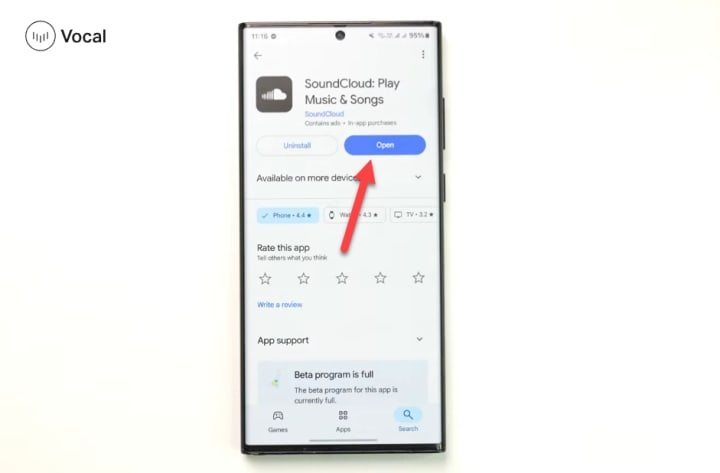
First thing you need to do is go to your mobile apps and search for the soundcloud app. Check if you have this app in your mobile phone or not. If you don’t have soundcloud in your phone please go to the playstore and then download it on your mobile.
When you installed the soundcloud application you need to register on it and login to get access to songs tracks. This is your offline listening partner.
Step 2: Login to Your SoundCloud Account
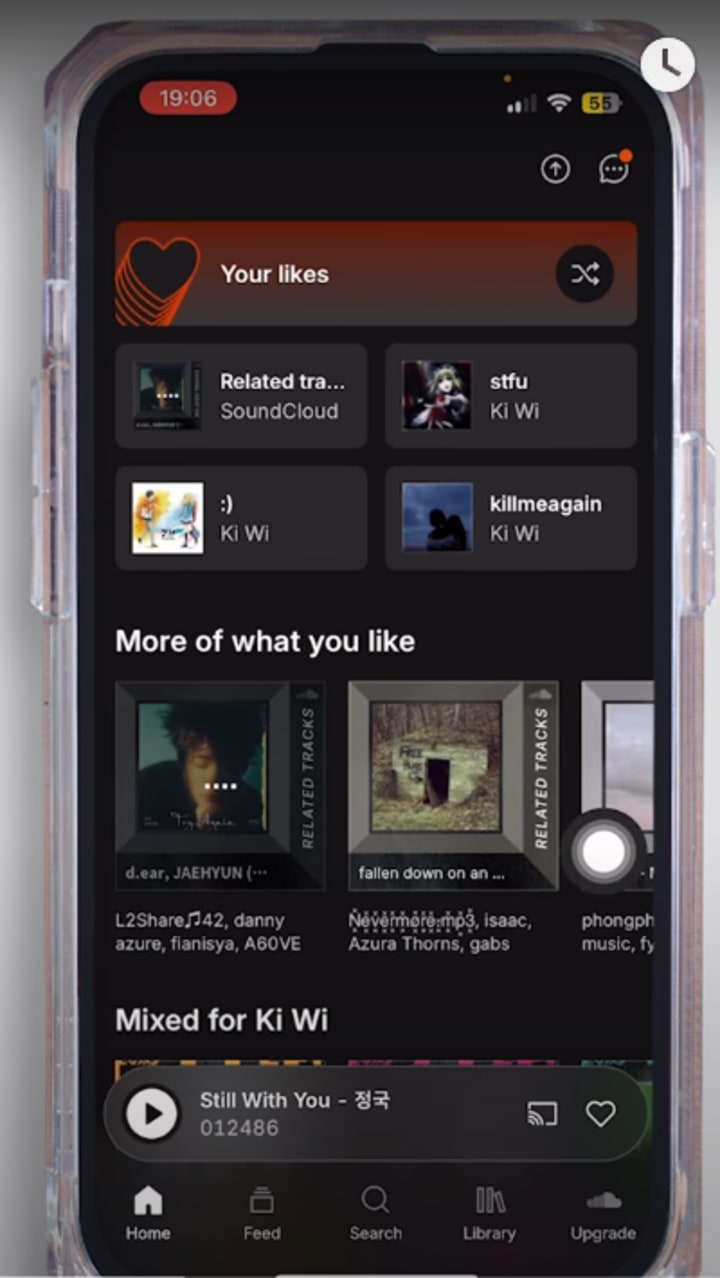
Give the email or password while you are going to login to your SoundCloud account. Then you can see the most trending songs. You can listen to the songs online. You guys also can make a playlist by adding the songs you liked for future sung.
You can also get the tracks by filtering from the artist names. Sometimes you love a artist and start listening.
Step 3: Click On the Song You Like to Download
If you don’t have a premium account the download of the soundcloud song depends upon the artist setting. If artists allow the users can download then you can download it otherwise you have to get paid plan of soundcloud for downloading all your favorite songs.
The song you want to download from the soundcloud for offline listening you just need to click on that song.
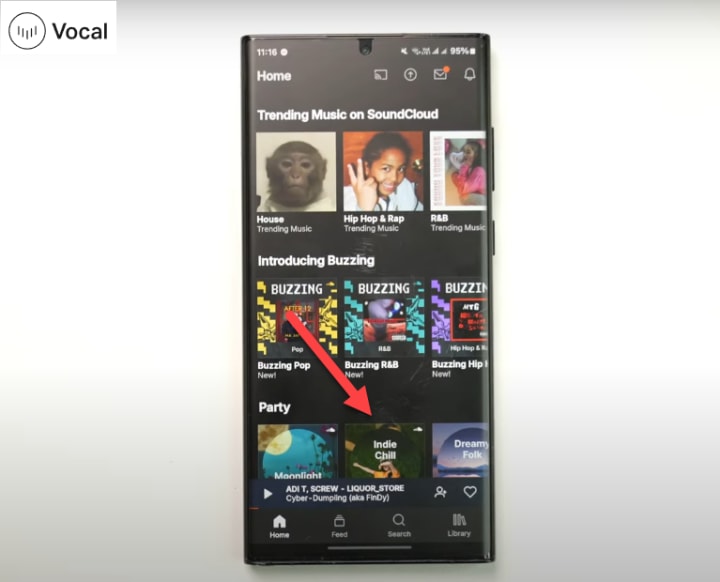
Step 4: Check the Download Availability of the Song
If you are using Soundcloud for free you have to check the availability of the song in downloads. Because artists are the one man army for the free subscribers of soundcloud. You need to click on the 3 dots to check the option of the download for track.
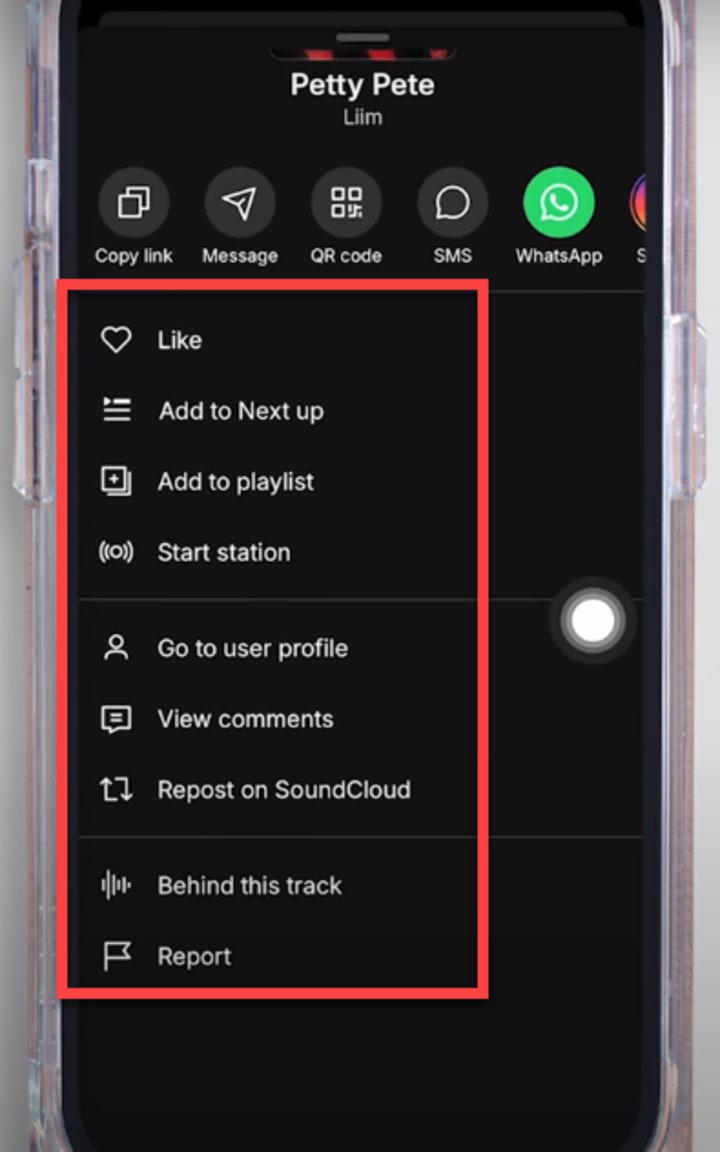
Step 5: Click on the Button Below the Track
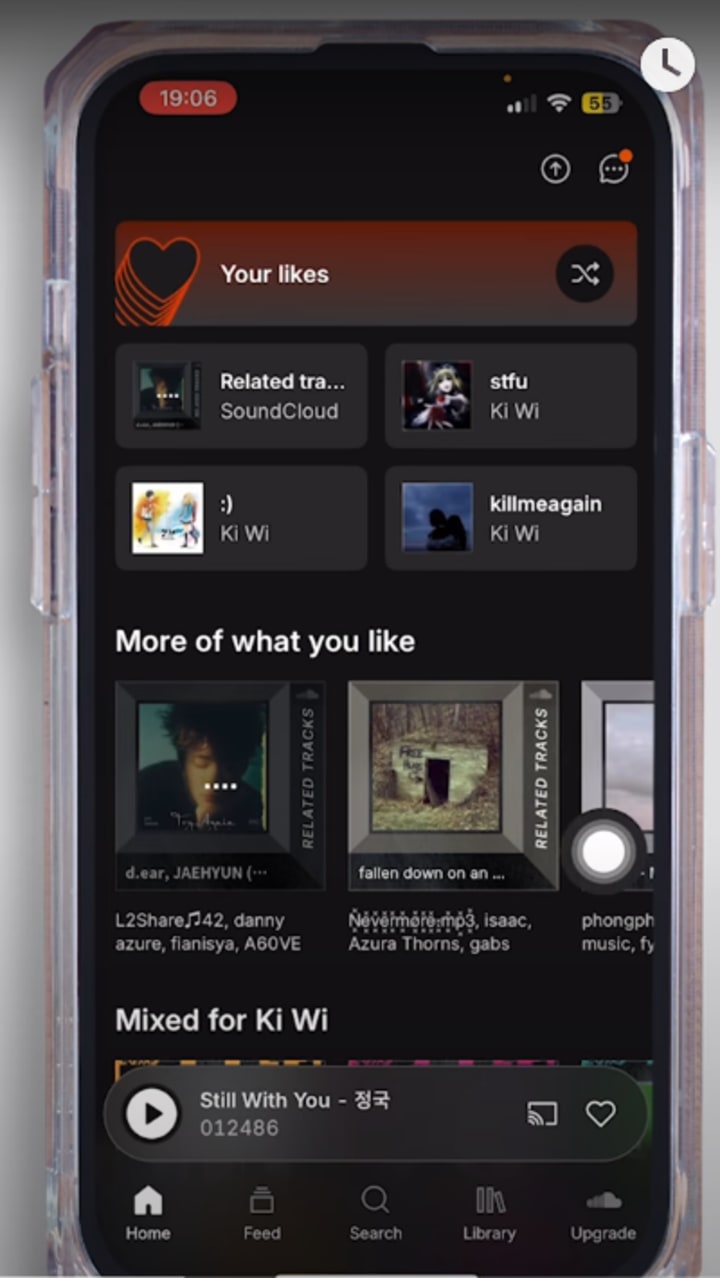
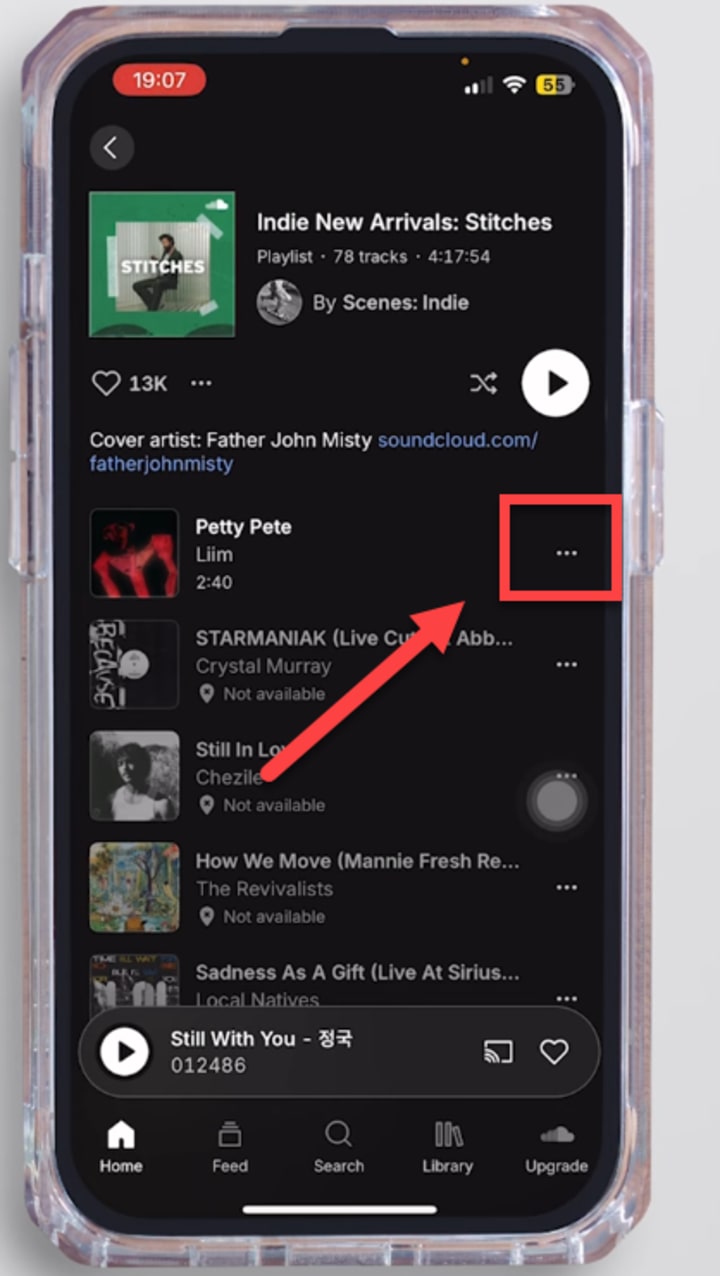
Step 6: Click on the 3 Dots to Download the Songs
When you choose a song to download from soundcloud while listening. Just give a click to 3 dots in front of your desired chosen song.
Step 7: Get SoundCloud Subscription for Offline Song Listening
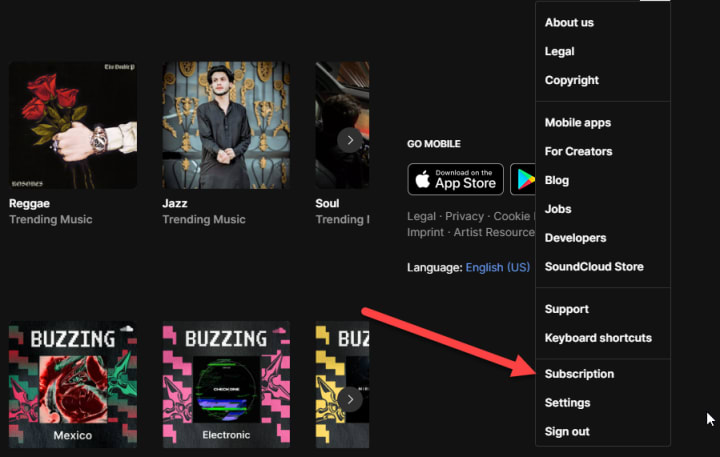
The most recommended option for you guys is the paid subscription of SoundCloud. If you are an artist then you have to get a paid account of the soundcloud. For offline listening you need to download the songs, so you also need a paid account for interrupted download.
In short, a paid account is the only best option if an artist is not allowed to download soundcloud songs. For students the platform is providing the 50% off so you should immediately subscribe for it. Otherwise go for Artist Pro.
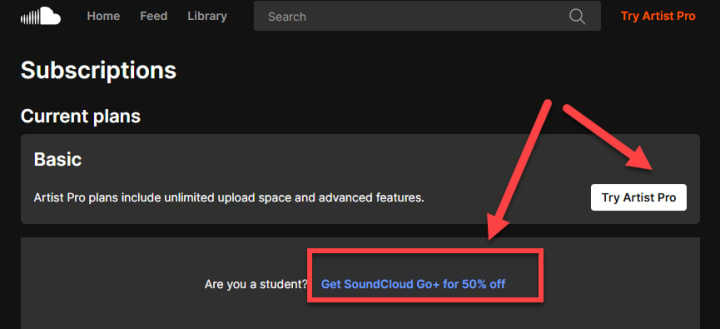
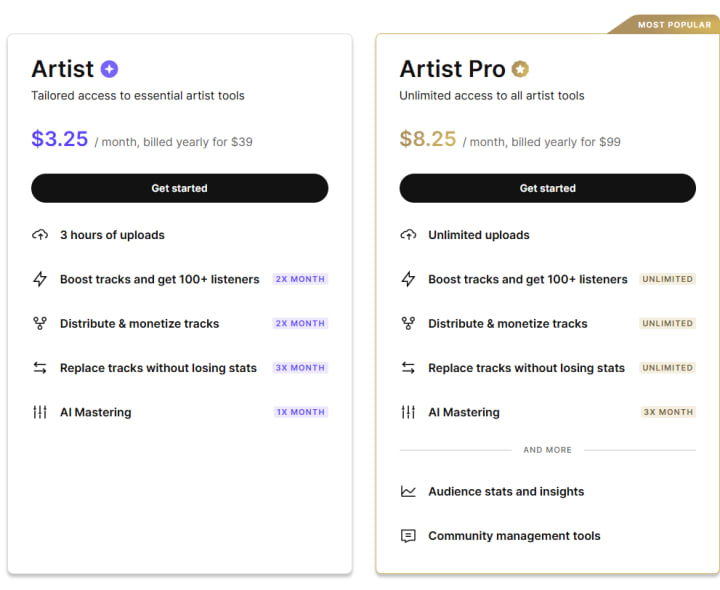
- Artist: $3.29/month or $/39 Yearly
- Artist Pro: $8.25/month or $99/Yearly
Method 2: Using the 3rd Party Tools to Download SoundCloud Songs
Downloading a video with 3rd party tools is a very easy and simple way to download for future use from your mobile. You can use the different tools like snaptube, vidmate to download the videos of 100+ social platforms including instagram, facebook, twitter and youtube tiktok reels.
Let’s discuss these 3rd party tools in detail for your help.
To Download SoundCloud Songs If Restricted by Artist
Are aware of the fact that you can use the 3rd party tools to download the songs from SoundCloud even if it is restricted to download on SoundCloud by the Artist.
So just go to the apps like vidmate, snaptube and paste the link to download your desired tracks. Now I will discuss how to use these tools.
Use the Snaptube App to Download the Songs Not Available on SoundCloud
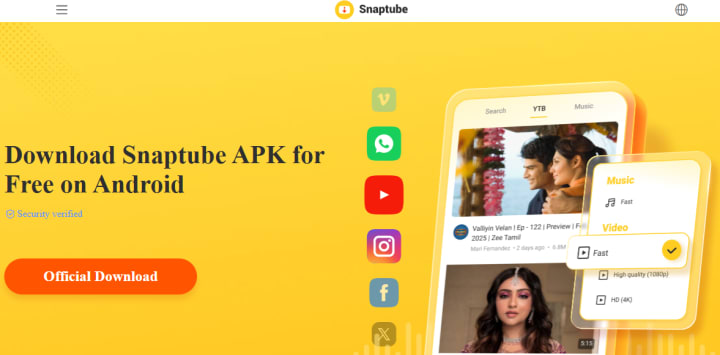
Snaptube you should definitely have in your mobile phones because it must have a Video downloaders app. It supports 100+ social media platform videos to download very easily.
You can even download videos, reels, stories, audio, profiles, posts, and photos.
Be happy, No sign-up required, free to use with no limits.
Do you know? Now you can use WhatsApp Status Download:
How to use it? Open WhatsApp, watch the status you want to save, and simply open the Snaptube app, where you will see the most recent watched status. So just go and download it.
Use the VidMate to Download the Songs Not Available on SoundCloud
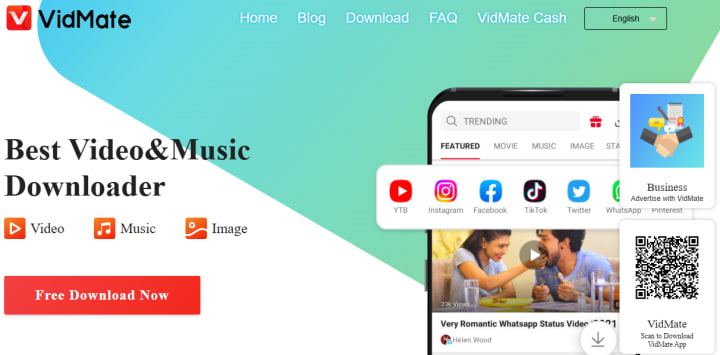
Copy the link of the video you want to download for offline listening. You will only have to copy the link from any online source from where you will only have an online listening option.
Then paste that link of the song to vidmate search bar and you see the download option. The main benefit of this app is that while downloading the song it will ask you the quality of the video.
You can download the MP4, HD quality songs from the Vidmate app. This is the easy method and third party tool that supports your offline listening and watching. You can download the videos of instagram, facebook, tiktok, twitter and many more platforms using links from these platforms.
Method 3: Download Songs From SoundCloud Using the Browser (for Desktop Users)
Last method I will discuss for your help in downloading the songs from soundcloud is for browser users. If you are in the office and want to listen to songs you will use the laptop for this purpose. So you will need to use SoundCloud.
6 Steps to Download Songs From SoundCloud Using the Browser
Now let's discuss the steps to download soundcloud songs using the browser. There are 6 steps that visually help you to listen to tracks offline. If you are a paid user then no worry to check if the artist is allowed or not this downloading.
Step 1: Visit the Official Site of SoundCloud
First thing you need to do is only visit the official website of the soundcloud. Login to it if you have an account.
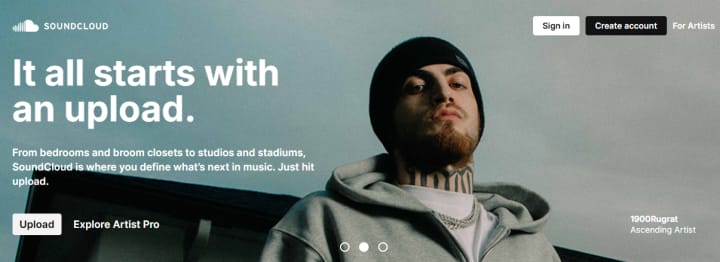
Step 2: Sign In to SoundCloud
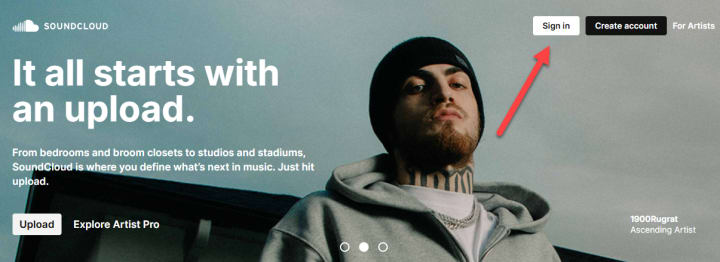
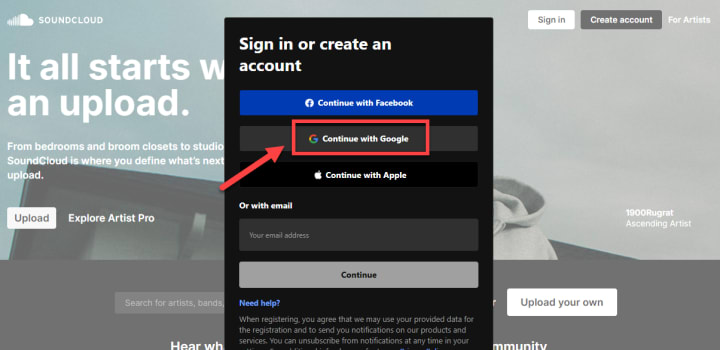
If you have an account on SoundCloud you need to click on the Login otherwise you can create an account on it. Just “Click on the Sign In”.
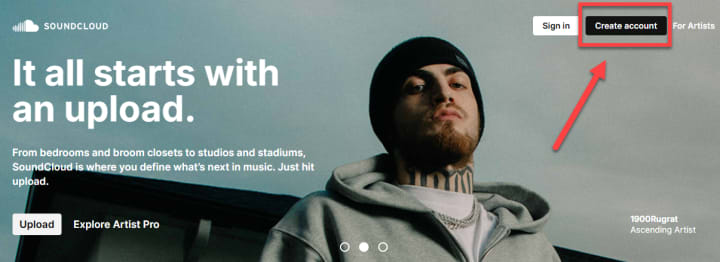
If you don't have an account . Click on the “Create Account” for getting new account for listening to offline songs.
For immediate sign up you have an option of continuing with google.
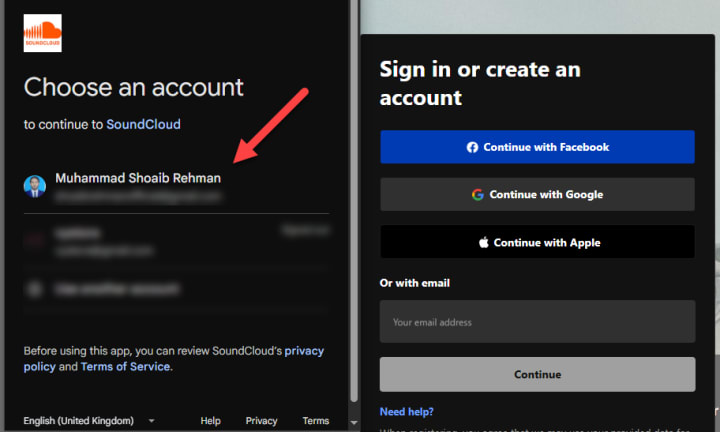
Click on the account you want to link with SoundCloud.
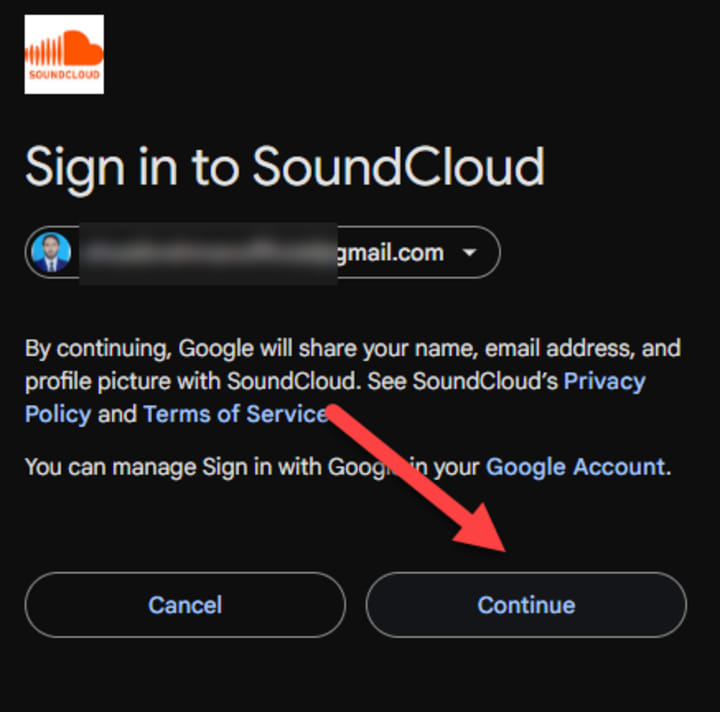
Click on the “Continue” for further use.
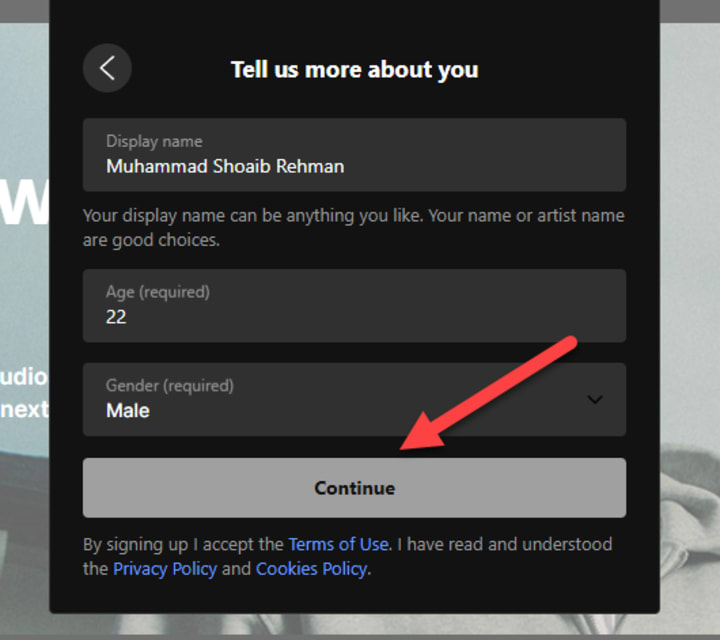
Step 3: Provide Details and Click on “Continue” Button
Provide your name, Age and Gender for further use. When you have provided these details then you can proceed next.
Step 4: SoundCloud Do Verification
Then SoundCloud will do verification for your given details.
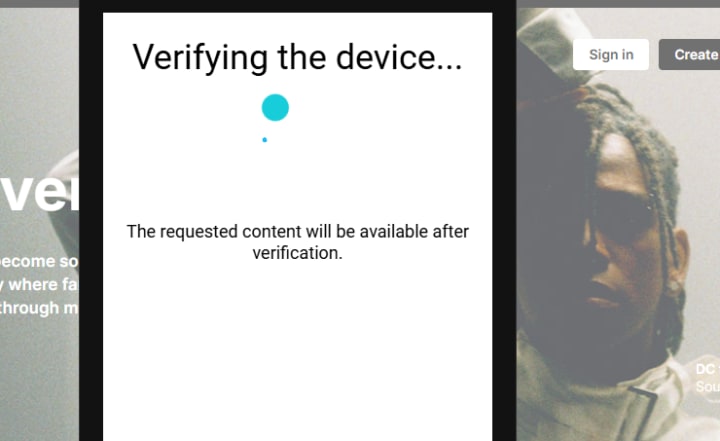
Step 5: Click on "3 Dots More" for Desired Song
Then you have to click on the desired song. If you want to download it then 3 dots will provide you the option of “download file” from it.
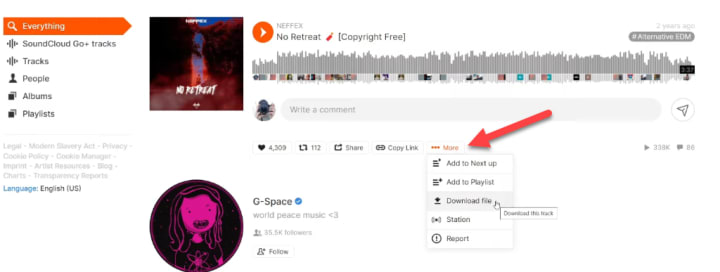
Step 6: Click on Download File
Click on the “Download File” to download SoundCloud Songs.
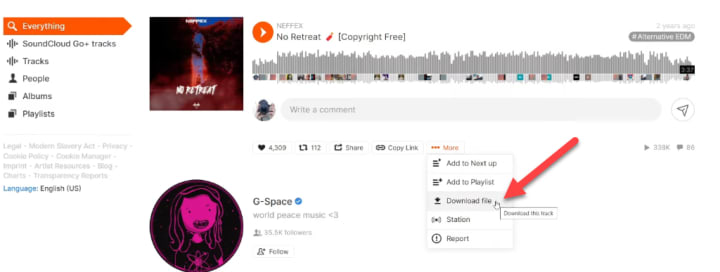
Download the SoundCloud App
If you are a song lover but you do not have a SoundCloud app you are so unlucky. Please go to the website of soundcloud.
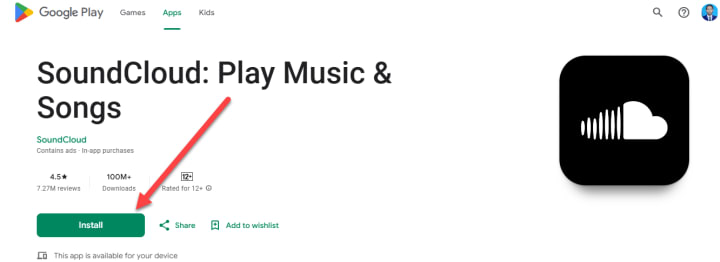
Where you will find 2 options if you are an App Store user Click on the App Store otherwise android user should click on Google Play for download the soundcloud app.
SoundCloud Reviews:
- Reviews: 7.27M
- Downloads Active: 100M+
- Rated for: 12+
Go to install it for enjoying the tracks on your phone.
Wrapping Up
Mobile users and desktop users can use the SoundCloud app and browser for enjoying the songs online and also offline. But the offline version of the track will depend on the artist in free plan.
If you have paid subscription to the soundcloud then you have to only click on the 3 dots and then download the file to get it for offline use.
Thirdly, if the artist did not allow you to download a free subscription of the Soundcloudn then you can download soundcloud songs using the 3rd party tools like Vidmate, Snaptube. For enjoying without any disturbance you can get a paid subscription for just $3.25 monthly or $39 yearly.
FAQs
Can I download SoundCloud songs without a premium subscription?
Yes, you can download songs if the artist allows it. However, if you are on the free plan, downloading depends on the artist's settings. To download all your favorite tracks without restrictions, you would need to subscribe to a paid SoundCloud plan.
How can I download SoundCloud songs using the mobile app?
To download songs via the SoundCloud app, open the app, log in to your account, select the song you want to download, and click the three dots beside it. If the artist allows it, you will see the download option. For offline listening, a paid subscription is recommended.
What are some third-party tools I can use to download SoundCloud songs?
You can use third-party tools like Snaptube and Vidmate to download SoundCloud songs, even if the artist has restricted downloads. Simply copy the song's link and paste it into these tools to download the track.
Can I download SoundCloud songs on my desktop?
Yes, desktop users can download SoundCloud songs by visiting the official SoundCloud website, signing in, selecting the song, and clicking the three dots to see the "Download File" option. A paid subscription may be required depending on the artist's settings.
What are the benefits of subscribing to a paid SoundCloud plan?
A paid SoundCloud subscription gives you the ability to download songs without restrictions. It also allows you to listen to tracks offline without depending on the artist's download settings. Additionally, SoundCloud offers a 50% discount for students.
About the Creator
Shoaib Rehman
From mind idea to words, I am experienced in this exchange. Techincally written storeis will definetely means a lot for YOU. The emotions I always try to describe through words. I used to turn facts into visual helping words. keep In Touch.
Keep reading
More stories from Shoaib Rehman and writers in 01 and other communities.
Night of the Hunted Ending Explained | Alice & Sniper Died?
Let's night of the Hunted ending explained along with amazing cast. “Night of the Hunted” (2023) is a taut, nerve-racking thriller that keeps viewers at the edge of their seats throughout its runtime. Directed by Franck Khalfoun, the film is an intense journey into survival, where every moment feels like a desperate struggle for life. As the story unfolds, the characters find themselves ensnared in a web of danger and suspense, culminating in an ending that leaves audiences reflecting on the nature of survival and sacrifice.
By Shoaib Rehman9 months ago in Fiction
Handheld Barcode Scanners for Fast Shop Billing Process
In today’s fast-moving retail world, customers expect quick service and smooth checkout experiences. Long queues and slow billing can easily turn shoppers away. That is why many Australian shop owners are now choosing smart tools to speed up their daily work. One of the most useful tools is a handheld barcode scanner.
By Will Smith5 days ago in 01
What I Learned About Ecommerce SEO Services While Working With a Mobile SEO Agency?
I didn’t expect a mobile project to change how I thought about ecommerce. At the time, we were dealing with a narrow problem. Our mobile traffic looked healthy, but conversion from phones lagged behind everything else. Desktop behaved one way. Mobile behaved another. The gap kept widening.
By Jane Smith6 days ago in 01
Book Review: Atmosphere by Taylor Jenkins Reid
I flipped the book over in my hands in the centre of the small airport book shop. Although I had heard promising reviews of Atmosphere by Taylor Jenkins Reid, I hesitated. The synopsis didn’t compel me - I wasn’t much of a space girly. In high school it made me cringe when my peers would talk about the stars.
By sleepy drafts7 days ago in BookClub



Comments
There are no comments for this story
Be the first to respond and start the conversation.