
Passkey Authentication: Implementing Passwordless Flows 2026
A technical roadmap for engineering leads and product owners transitioning to FIDO2-based passwordless security.

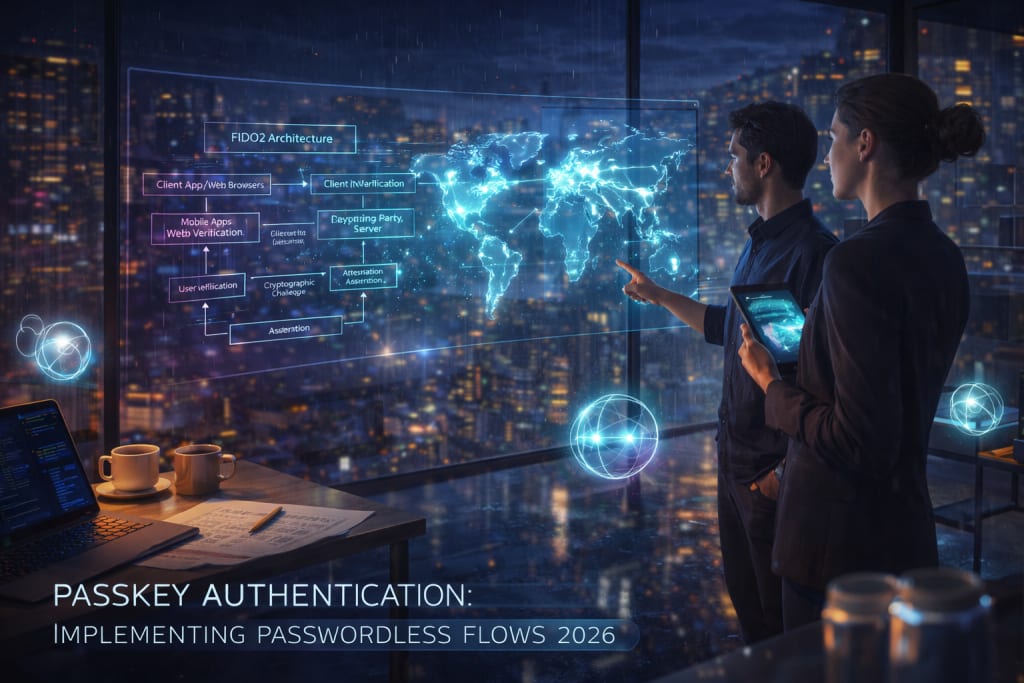
The digital security landscape has shifted permanently. As of early 2026, passwords are no longer primary. They are not enough for high-trust applications. They are now considered a legacy fallback. Passkeys have moved from experimental to expected. They are built on the FIDO2 standard. They also use the WebAuthn protocol. FIDO2 is a set of standards. These standards allow for secure, passwordless logins. WebAuthn is the specific web API. It lets websites use these secure keys.
This guide provides a roadmap for your organization. It helps you move to a passkey-first environment. We will cover the technical transition. We will discuss common friction points. Finally, we look at managing a passwordless user base in 2026.
Current State or Problem Context
In 2026, the passwordless movement is very strong. It is driven by two main factors. First, credential-stuffing attacks are now industrialized. Second, passkeys are now native. Every major mobile and desktop system has them.
The FIDO Alliance released data in 2025. Service providers saw a 75% reduction in sign-in time. They also saw fewer account recovery tickets. These results came from passkey-first flows. Many organizations make a common mistake. They view passkeys as just another MFA method. In reality, they are much more. They replace both the password and the second factor.
Core Framework or Explanation
Passkeys rely on public-key cryptography. A private key stays on the user’s device. This might be a phone or laptop. It could be a physical security key. The private key never leaves that device. The server only stores a public key. This makes the system very secure. Moving to passkeys requires a major rethink. It is more than a simple API update. You must rethink the whole account lifecycle. This starts from registration and ends at recovery.
1. The "Conditional UI" Approach
Modern browsers now support "Conditional UI." This feature is a game changer. It allows passkeys to appear in standard fields. Imagine a user taps the username field. The browser then offers their saved passkey. This happens automatically. It reduces friction for the user. It removes the need for extra buttons. You do not need a "Sign in with Passkey" button. The flow feels natural and fast.
2. Gradual Enrollment (The Upgrade Flow)
Do not force-migrate your entire user base. That often leads to high churn. Successful 2026 implementations use an "Upgrade" prompt. First, let the user log in with a password. Then, check if the device can use passkeys. If it can, show a friendly prompt. Ask them a simple question. "Would you like to sign in faster next time?" Mention they can use FaceID or TouchID. This makes the benefit very clear.
3. Cross-Device Synchronization
Synchronized passkeys matured in late 2025. This was a major advancement. Ecosystems like iCloud Keychain now support this. Google Password Manager and 1Password do as well. A passkey created on an iPhone is available elsewhere. It works on a MacBook or iPad immediately. For businesses, this is vital. Losing a device is no longer a lockout. The user can still log in elsewhere.
For enterprise-grade applications, you may need help. You might need regional expertise. Partnering with specialized developers can help. Consider Mobile App Development in Chicago for this. They can ensure these complex flows are secure. They handle synchronization within local regulatory frameworks. This is important for high-stakes software.
Real-World Examples
The implementation strategy differs based on the "cost of friction."
- E-Commerce: Here, the priority is speed. You want users to buy quickly. Implement "Passkey as a Guest" features. This lets users create secure accounts easily. They never have to type a password. This directly increases your conversion rates.
- Banking & Fintech: Here, the priority is attestation. Banks in 2026 often require hardware attestation. This is a special WebAuthn feature. It verifies where the key is stored. It ensures the key is in a certified Secure Element. Examples include the Titan M2 or Apple Enclave. It proves the key is not in a software manager.
Practical Application
Follow these steps for a solid implementation.
- Backend Capability: Update your authentication server. It must support WebAuthn calls. Specifically, use navigator.credentials.create. Also, use the get call.
- User Identification: Use a permanent internal ID for users. Passkeys are not tied to email addresses. They are tied to "User Handles." A user handle is a unique identifier. It stays the same even if emails change.
- Fallback Strategy: Always maintain a secondary method. Some users have older hardware. Others might lose their passkey provider. Use Magic Links or OIDC as fallbacks.
- Revocation Logic: Build a way to revoke keys. If a device is stolen, the user must act. They need a way to remove that specific key. Your UI should make this simple.
AI Tools and Resources
Passkeys.io (by Hanko) — This is a testing environment. It is built for WebAuthn flows.
- Best for: Use it for debugging registration. Use it for authentication responses.
- Why it matters: It lets developers see raw JSON. You see this before writing backend logic.
- Who should skip it: Teams using managed providers. This includes providers like Auth0 or Clerk.
- 2026 status: Active. It remains the industry standard for testing.
Bitwarden Password Manager — This is open-source credential management. It has robust passkey support.
- Best for: Use it for managing cross-platform passkeys. It works well in corporate environments.
- Why it matters: It lets team members share passkeys. This is great for shared secure accounts.
- Who should skip it: Organizations using one vendor. This means those who are all-Apple.
- 2026 status: Fully supports storage and sharing. It works on iOS, Android, and Desktop.
Risks, Trade-offs, and Limitations
The biggest threat to a passkey-first system is not a hack, but a loss of access.
When Passkey Implementation Fails: The "Device-Only" Lockout
Imagine a user on a Linux machine. They create a passkey locally. They do not use a cloud-synced manager. If that drive fails, the key is gone. The private key is lost forever.
- Warning signs: Look for a spike in recovery requests. Watch for egative feedback about locked accounts.
- Why it happens: The system allowed a single-device key. It did not enforce a backup method. It did not even suggest one.
- Alternative approach: Always require a "Recovery Kit." This is usually a one-time code. Or, verify a secondary email during enrollment. This ensures the user is never truly stuck.
Key Takeaways
- Shift to Conditional UI: Do not make passkeys separate. Integrate them into existing login fields. This helps maximize user adoption.
- Prioritize Sync: Favor cloud-synced passkey providers. This reduces the burden on support teams. It makes recovery much easier.
- Verify Attestation: This is for highly regulated industries. Use the attestation parameter. It ensures keys stay in hardware.
- Plan for the Long Tail: Passwords will not vanish yet. They will exist as fallbacks for years. Build your architecture for a hybrid state.
About the Creator
Keep reading
More stories from Del Rosario and writers in 01 and other communities.
How to Arrange Acoustic Panels for Clear Vocals? A Practical Guide
Clear, crisp vocals are the foundation of any recording—whether you're creating a podcast, recording a voice-over, or singing in a home studio. Even the best microphone won't help if the room generates reverberation and booming bass. Echoes compound the problem further, muddying frequencies that should sound clean and precise.
By Madhuri Janvi2 days ago in 01
How Fintech Startups Are Building Scalable Real World Asset Tokenization Models
The global financial ecosystem is undergoing a structural transformation driven by blockchain, distributed ledger systems, and programmable finance. At the center of this transformation lies Real World Asset Tokenization, a model that converts tangible and intangible assets into blockchain-based digital tokens. From real estate and private equity to commodities, invoices, and carbon credits, assets that were once illiquid and geographically restricted are now entering digital marketplaces.
By Ethan hunt6 days ago in 01
The Tango Connection
I suppose I've become a writer so I wouldn't bore everyone to death telling them my stories. Reading them is reading. Not the same. There's rhythm. And timing and, most importantly, drama and suspense. Unless you have tremendous magnetism and an undeniable stage presence, there's no way you can engage an audience the way you can by writing your story. That's my opinion.
By Rene Volpi 5 days ago in Beat




Comments
There are no comments for this story
Be the first to respond and start the conversation.