
Types of Kiosks Available in the Market: A Comprehensive Guide
Discover the Variety of Kiosk Solutions on the Market. Choose the Right Type to Enhance Customer Engagement and Efficiency.

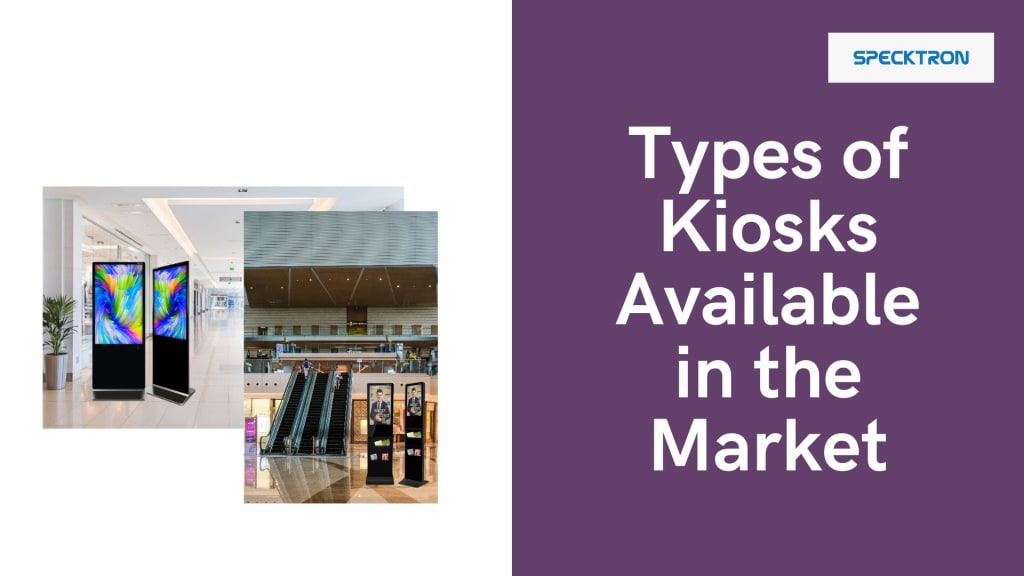
In today’s fast-paced digital world, kiosks have become an essential part of various industries. Whether it’s for retail, hospitality, healthcare, or transportation, kiosks provide businesses with an efficient, user-friendly way to enhance customer experiences. With technological advancements, there is a broad range of kiosks available in the market, each designed for specific purposes.
In this blog, we’ll explore the different types of kiosks available, highlighting their unique features, benefits, and best use cases to help you choose the right solution for your business.
1. Self-Service Kiosks
Best for: Retail, Restaurants, Airports, Healthcare
Self-service kiosks are designed to allow customers to perform tasks on their own without needing assistance from a staff member. These kiosks often feature touchscreens and are commonly used for check-in, ordering, and ticketing.
Key Features:
Interactive touchscreens for easy navigation
Payment processing for quick transactions
Real-time updates for product availability or wait times
Multilingual support for global reach
Use Cases:
Retail: In-store kiosks for browsing product catalogs and self-checkout.
Restaurants: Self-ordering kiosks to streamline ordering processes and reduce wait times.
Airports: Check-in kiosks for passengers to print boarding passes and check luggage.
2. Digital Signage Kiosks
Best for: Advertising, Information Display, Public Spaces
Digital signage kiosks combine the functionality of a traditional kiosk with high-definition screens to display advertisements, news, or other information. These kiosks are commonly used in malls, transit stations, and event venues to communicate messages to large groups of people.
Key Features:
High-resolution screens for vibrant and eye-catching displays
Remote content management for easy updates
Interactive options (e.g., touchscreens) for engagement
Customizable advertising space to generate revenue
Use Cases:
Retail and Shopping Malls: Display promotional content or guide customers to specific stores.
Public Spaces: Provide information about local events, directions, or news.
Healthcare: Offer health tips, hospital information, or department directories.
3. Outdoor Kiosks
Best for: Retail, Public Information, Transportation
Outdoor kiosks are designed to withstand harsh weather conditions, making them ideal for places like outdoor shopping centers, transit hubs, and city streets. These kiosks are equipped with weatherproof enclosures and brighter screens to remain visible in direct sunlight.
Key Features:
Weather-resistant design to handle rain, snow, and extreme temperatures
Sunlight-readable displays to ensure visibility even in bright conditions
Durable materials to prevent vandalism and damage
Remote monitoring for maintenance and troubleshooting
Use Cases:
Public Information: Display city maps, local attractions, and event information.
Retail: Outdoor touchscreens for browsing catalogs or checking availability.
Transportation: Ticket vending and real-time transit schedules at bus or train stations.
4. Interactive Kiosks
Best for: Customer Engagement, Retail, Museums, Educational Institutions
Interactive kiosks offer more than just information—they allow users to engage directly with content. This makes them ideal for museums, exhibitions, trade shows, and retail environments where interactive experiences are crucial.
Key Features:
Touchscreen interfaces for seamless user interaction
Rich multimedia content like videos, quizzes, and 3D models
Customizable interfaces tailored to specific needs (e.g., product configurators or virtual tours)
User feedback collection for valuable insights
Use Cases:
Museums & Exhibits: Provide interactive exhibits where users can learn about art, history, or science.
Retail: Allow customers to customize products, view virtual try-ons, or access loyalty programs.
Educational Institutions: Display course information, provide interactive learning modules, or help with campus navigation.
5. Ticketing and Vending Kiosks
Best for: Entertainment Venues, Transportation, Amusement Parks
Ticketing and vending kiosks are often used in places where people need to purchase tickets or goods quickly and without long lines. These kiosks can be used for both ticket sales and product vending such as snacks, drinks, or other items.
Key Features:
Integrated payment solutions for cashless transactions
Ticket printing and barcode scanning for entry verification
Customizable product selection in vending machines
Real-time availability updates for tickets or products
Use Cases:
Movie Theaters: Self-service ticketing and snack vending for a seamless experience.
Amusement Parks: Ticket sales for entry, fast passes, and merchandise vending.
Transportation: Train or bus ticket machines for easy travel planning.
6. Transparent Kiosks
Best for: Retail, Advertising, Innovative Display Solutions
Transparent kiosks are an emerging trend in kiosk technology. These kiosks use transparent OLED displays that allow you to see through the screen while still displaying interactive content. This offers a unique, futuristic look while delivering a seamless user experience.
Key Features:
Transparent OLED displays that offer both a visually stunning design and interactivity
High-quality graphics without the need for physical content behind the screen
Minimalistic designs that integrate into modern environments
Use Cases:
Retail: Showcase products through transparent displays while maintaining a sleek, futuristic store design.
Advertising: Promote content in high-traffic areas with a visually appealing, transparent design.
Public Installations: Offer interactive information while maintaining transparency for better viewing angles.
7. Payment Kiosks
Best for: Retail, Healthcare, Utilities, Financial Services
Payment kiosks are used primarily for accepting payments in a self-service format. These kiosks offer a variety of payment methods, including cash, credit cards, and mobile payments, making them ideal for environments where customers need to pay for services or products without waiting in line.
Key Features:
Multi-payment options including cash, card, and mobile payment
Security features to protect financial transactions
Receipt printing for proof of purchase
Integration with POS systems for seamless transaction management
Use Cases:
Healthcare: Bill payment for medical services in hospitals or clinics.
Retail: Self-checkout solutions for customers to pay for their goods independently.
Utilities: Bill payment kiosks for utilities such as water, electricity, or gas.
Conclusion: Choose the Right Kiosk for Your Business
As businesses continue to adopt digital solutions to improve customer experience and operational efficiency, kiosks are becoming an integral part of the landscape. From self-service kiosks to outdoor solutions and transparent displays, each type offers distinct benefits depending on your business needs.
Before selecting a kiosk, consider factors such as:
Functionality (e.g., ordering, ticketing, payment)
Environment (indoor vs outdoor)
Customer interaction (touchscreen, interactive displays)
Maintenance needs (remote monitoring, weatherproofing)
With the right kiosk, you can enhance customer satisfaction, streamline processes, and create a more efficient business environment. Specktron Technology, known for its cutting-edge interactive displays and innovative kiosk solutions, offers a range of options that seamlessly integrate with your business needs. If you're ready to take your customer experience to the next level, investing in Specktron’s state-of-the-art kiosks can make all the difference. From self-service kiosks to digital signage and transparent OLED displays, Specktron provides scalable solutions that help you stay ahead of the curve while improving operational efficiency.
About the Creator
Specktron
Specktron delivers innovative audiovisual and interactive technology solutions. From interactive screens and projectors to digital displays, we create products that enhance learning, collaboration, and communication.
The Open Road 2.0: Inside Spain USD 1.76 Billion Car Rental Revolution (2026-2034)
Spain is often synonymous with sun, sand, and historic architecture. But in 2026, the real story of Spanish tourism is being written on its highways. The car rental landscape, once a traditional industry defined by paper contracts and long airport queues, is undergoing a high-octane transformation. Fueled by a record-breaking influx of international travelers and a national mandate for green mobility, the sector is moving toward a future that is digital, electric, and highly personalized.
By Neeraj kumar4 days ago in Education
Budget Constraints and Developmental Harm
Timotheus Homas Abstract This article examines the tension between budgetary limitations and developmental protection in education law. Drawing on Timotheus Homas’ critique of fiscal justifications for exclusion, the paper argues that financial constraints cannot excuse predictable developmental harm. Integrating mental health and early childhood research, the article reframes budget decisions as legally consequential acts with long-term developmental implications.
By Emma Wegenast7 days ago in Education
When True Love Never Questions Your Soul
“And she’s going to learn that this life will hit you, hard, in the face, wait for you to get back up, just so it can kick you in the stomach but getting the wind knocked out of you is the only way to remind your lungs how much they like the taste of air.” — Sarah Kay’s Poem — If I Should Have a Daughter
By Chantal Christie Weiss5 days ago in Humans




Comments
There are no comments for this story
Be the first to respond and start the conversation.