
How to Find Deleted Instagram Posts: A Simple Guide for Concerned Parents
Step-by-Step Tips to Help Parents Recover Lost Instagram Content Safely and Easily

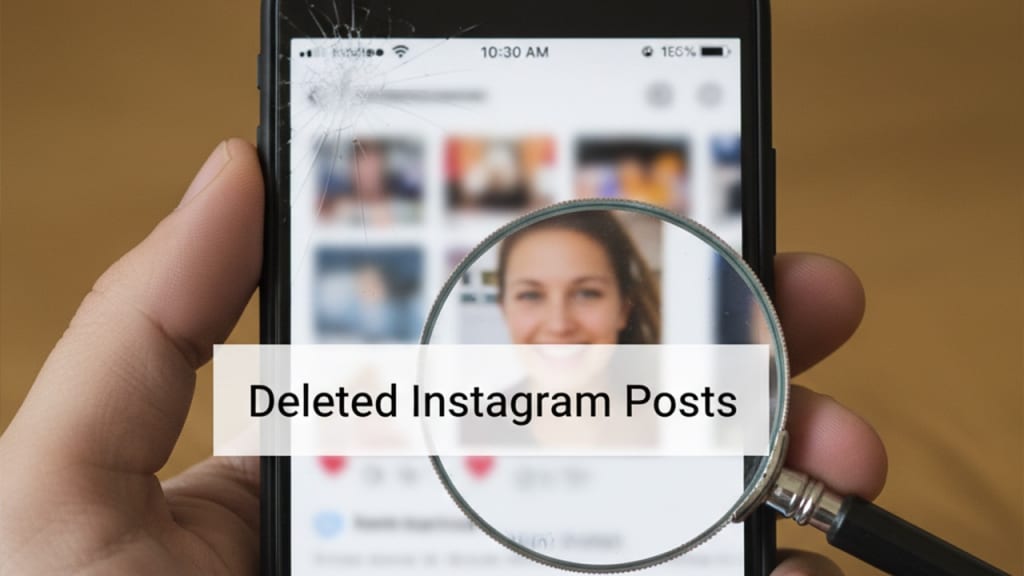
Instagram has become one of the most active platforms for teens, and while it’s a great place for creativity and communication, it also comes with challenges. One of the common issues parents face is trying to understand why their child deletes posts—and more importantly, how to recover them when needed. Whether you’re checking for safety, helping your teen recover lost memories, or trying to understand their online habits, knowing how to find deleted Instagram posts can be incredibly helpful.
This guide walks you through simple, safe, and parent-friendly methods to recover deleted Instagram content while encouraging healthy communication with your child.
Why Parents Sometimes Need to Recover Deleted Instagram Posts
Teens often delete posts quickly—sometimes due to peer pressure, insecurities about likes, or because they shared something too personal. When posts disappear, parents may worry about hidden communication, emotional struggles, or inappropriate interactions.
Recovering deleted posts can help parents:
- Understand what their child is sharing online
- Identify any red flags or unsafe behavior
- Help them restore meaningful photos accidentally deleted
- Support them in building better digital habits
As long as it’s done with transparency and respect, recovering Instagram posts can actually strengthen trust between you and your child.
How Deleted Instagram Posts Work: What Parents Should Know
Many parents don’t know that Instagram doesn’t permanently erase posts right away. Instead, deleted posts are moved to a built-in folder where they remain recoverable for a limited time.
Here’s what’s important:
- Deleted photos, videos, reels, and stories stay in the “Recently Deleted” folder for 30 days
- After 30 days, the content is permanently removed
- If your teen has changed passwords recently, access might require an authentication code
- Archived posts are different—they are hidden but not deleted
Understanding this system helps parents recover posts more effectively and reduces the risk of losing content forever.
Recovering Deleted Posts Through Instagram’s Built-In Features
The simplest and safest method is using Instagram’s own recovery folder. If your child allows you or if you manage their device, follow these steps:
Step-by-step recovery guide
- Open the Instagram app.
- Tap the Profile icon.
- Select the Menu (three lines) in the top right corner.
- Go to “Your Activity.”
- Scroll down and tap “Recently Deleted.”
- Choose the photo, reel, or story you want to restore.
- Tap Restore and confirm.
This method works best when the content was removed within the last month. If more time has passed, the post may no longer be available.
Limitations
- Posts older than 30 days cannot be recovered
- Deleted stories remain recoverable for only 24 hours unless they were archived
- If two-factor authentication is enabled, verification may be required
Still, this is the most reliable method for most families.
Checking Linked Devices and Backups
Sometimes deleted Instagram posts can still be found in other places, especially if your home uses shared devices or cloud backup systems.
Try these useful spots:
- Phone gallery: If your child’s phone automatically saves posted photos, they may still be in the device’s albums.
- Cloud backups: Services like Google Photos or iCloud may have synced copies even after deletion.
- Shared family devices: If multiple devices use the same account, cached images may still appear.
- Screenshot folders: Teens often take screenshots of their own posts before or after publishing them.
Although this method doesn’t guarantee recovery, it’s a helpful second step before considering other tools.
Using a Specialized Instagram Tracking App
In some situations, parents want a more complete picture of their child’s Instagram activity—especially if deleted posts or hidden interactions are causing concern. A specialized Instagram tracking app can help parents view social media activity, including posts that were removed from the main profile.
These tools usually offer:
- Activity logs
- Post history
- Screenshots of Instagram usage
- Recovery support for disappearing content
Such apps should always be used responsibly and with your child’s awareness. Monitoring should never replace communication. Instead, it should support your efforts to guide and protect them online.
Extra Tips to Prevent Future Content Loss
Recovering deleted content is helpful, but teaching your child healthy digital habits is even more important. Here are a few tips:
Encourage open conversations
Ask your teen why they delete posts. Often, the reason is emotional—feeling judged, anxious, or pressured.
Teach the value of digital responsibility
Explain that deleting content doesn’t always make it disappear completely, and show them how to post thoughtfully.
Help them organize their content
- Use Instagram’s “Archive” feature instead of deleting
- Create private collections for posts they want to hide
- Save important photos before posting
Discuss safety risks
Make sure your child knows:
- What not to share online
- How to handle unwanted comments
- Why they should avoid posting personal information
This helps them feel empowered, not controlled.
Frequently Asked Questions
Can you recover posts deleted months ago?
Unfortunately, no. Only posts deleted within 30 days can be recovered through Instagram’s built-in features.
Is it possible to retrieve deleted reels or stories?
Yes—if they are within the 30-day window. Stories deleted before being archived are available for 24 hours only.
What if the Instagram password has changed?
You may need access to the email or phone number linked to the account to verify identity.
Can deleted posts be restored without the device?
Not usually, unless backups or monitoring tools captured them earlier.
Conclusion: Guiding Kids Toward Safer Digital Use
Finding deleted Instagram posts is not just about checking up on your child—it’s about understanding their digital world. Whether you use built-in features, device backups, or an Instagram tracking app, the goal is always to keep them safe and supported.
With the right guidance, teens can learn responsible online habits while parents stay informed in a healthy, respectful way. When done with care and transparency, digital supervision can actually build stronger communication and trust between you and your child.
About the Creator
Muhammad Irfan Afzal
I write clear, practical, engaging articles on technology, online safety, and modern digital life. My goal is to help readers understand complex. My aim to provide value, awareness, and real-world solutions for everyday digital challenges.
Keep reading
More stories from Muhammad Irfan Afzal and writers in Families and other communities.
How to Access Someone’s Instagram Account: A Step-by-Step Guide
Instagram is one of the most widely used social media platforms globally, and there are times when you may need to access someone else's Instagram account—whether to recover a forgotten password, monitor activity, or ensure safety. However, it’s essential to approach this process with care, ensuring that you're abiding by legal and ethical boundaries. In this guide, we will walk you through various ways to access an Instagram account, including methods for account recovery and third-party apps like uMobix, mSpy, Eyezy, and Spynger for monitoring Instagram activity.
By Muhammad Irfan Afzal4 months ago in Families
Kurt Cobain’s Daughter: The Life and Legacy of Frances Bean Cobain
Frances Bean Cobain, born on August 18, 1992, in Los Angeles, California, is widely recognized as the only daughter of the legendary Nirvana frontman Kurt Cobain and the iconic Hole singer Courtney Love. While her parentage immediately placed her in the global spotlight, Frances has spent her life defining herself on her own terms, navigating the intersections of fame, art, and personal identity. Today, she is celebrated as a visual artist, model, and mother, carrying forward the legacy of her famous parents while cultivating a life uniquely her own.
By Story Prismabout 14 hours ago in Families
Pam Bondi Husband: A Complete Look at Her Marriages, Engagements, and Long-Term Partner
Pam Bondi, a prominent figure in American politics and the United States Attorney General since 2025, has a personal life that has attracted as much public interest as her professional career. While she is best known for her legal expertise, her relationships and marriages have frequently made headlines. Many readers searching for “Pam Bondi husband” may be curious about her marital history, engagements, and current partnership. This article provides a detailed and fact-checked account of her love life over the years.
By Story Prismabout 14 hours ago in Families




Comments
There are no comments for this story
Be the first to respond and start the conversation.