
How to Get Minecraft APK Safely?
Learn how to safely and legally get the Minecraft APK on Android, avoid risky downloads, and enjoy the official game without security issues.
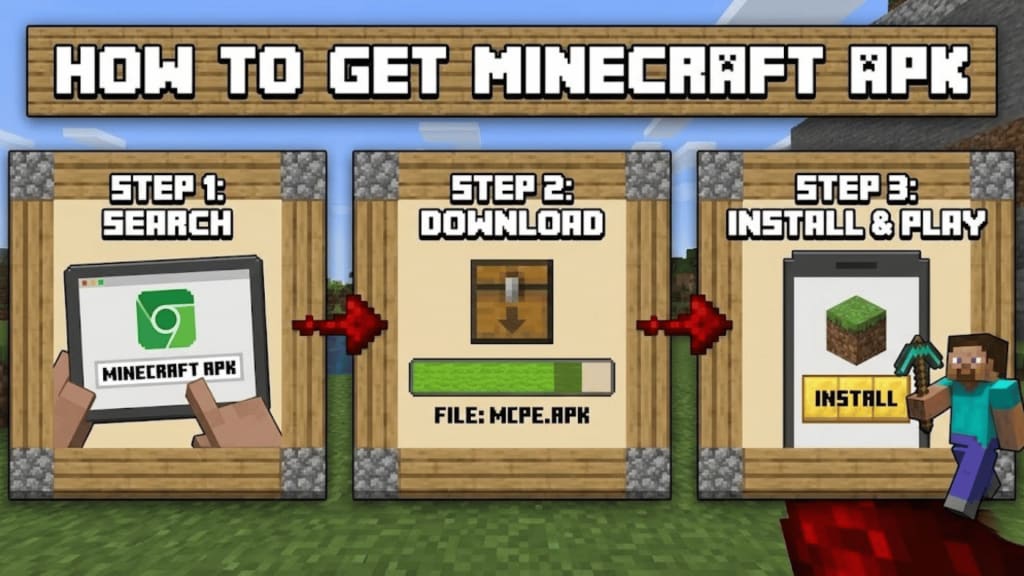
Minecraft has been around for more than a decade, yet it still feels timeless. Whether you’re building your first wooden house or experimenting with redstone contraptions, the game keeps pulling players back in. If you’re an Android user, you’ve probably searched for “Minecraft APK” at some point—maybe because your device doesn’t have Google Play, or you’re just trying to understand how the Android version works.
Before jumping into the how, it’s important to clear up what an APK actually is and what getting one should look like if you want to stay safe and legal.
What Is a Minecraft APK?
APK stands for Android Package Kit. It’s the file format Android uses to install apps. When you download an app from the Google Play Store, you’re technically downloading and installing an APK—just without seeing the file itself.
So when people say Minecraft APK, they’re usually referring to the Android version of Minecraft. The key thing to understand is this: the APK itself isn’t illegal, but where you get it from and how you use it absolutely matters.
Why People Look for the Minecraft APK
There are a few common reasons people search for the APK instead of just opening Google Play:
- Their device doesn’t support Google Play Services
- They’re using an Amazon Fire tablet
- Google Play isn’t available in their region
- They want to reinstall Minecraft after switching devices
- They’re confused by third-party sites claiming to offer “free” versions
Some of these reasons are completely valid. Others can lead to serious problems if you’re not careful.
The Risks of Downloading Minecraft APK from Random Sites
Let’s be honest: a quick search will bring up dozens of websites promising a “free Minecraft APK.” This is where many people get into trouble.
Downloading Minecraft from unofficial sources can lead to:
- Malware or spyware hidden in the file
- Stolen accounts or personal data
- Game crashes or corrupted worlds
- Bans from online servers
- Legal issues, since Minecraft is a paid game
If a site promises the full game for free, that’s a major red flag. Minecraft is developed by Mojang and owned by Microsoft—they do not give away the paid version through third-party APK sites.
The Right Way to Get Minecraft on Android
Here are the legitimate and safe ways to get Minecraft on Android, depending on your situation.
1. Google Play Store (Recommended)
This is the simplest and safest option.
Steps:
- Open the Google Play Store on your Android device
- Search for Minecraft
- Make sure the developer is listed as Mojang
- Purchase and install the game
- Once installed, Google Play handles updates automatically, and you don’t need to worry about security risks.
2. Minecraft Trial (Free Option)
If you just want to try the game before buying, Mojang offers an official Minecraft Trial.
- Available directly on the Google Play Store
- No payment required
- Limited playtime, but it’s the real game
This is the only truly “free” and legal way to play Minecraft on Android.
3. Amazon Appstore (For Fire Tablets)
If you’re using an Amazon Fire device, Google Play may not be available.
What to do:
- Open the Amazon Appstore
- Search for Minecraft
- Purchase and download from there
This version is fully supported and safe, just like the Play Store version.
4. Official APK Installation (Advanced Users)
In rare cases, some users need to install an APK manually—usually because Google Play isn’t supported on their device. When this is necessary, the APK should only come from official sources connected to Mojang or Microsoft.
If you ever install an APK manually:
- Enable “Install unknown apps” only temporarily
- Install the file
- Disable that setting again immediately
Never keep that permission on longer than needed.
Things to Avoid Completely
To protect your device and your account, avoid the following:
- “Modded” or “cracked” Minecraft APKs
- Sites that ask you to complete surveys to download
- Files that require extra permissions unrelated to gaming
- APKs that don’t match the current Minecraft version
No matter how convincing a site looks, shortcuts usually come with consequences.
Is Minecraft Worth Buying?
For most players, the answer is yes. Minecraft on Android gives you:
- Cross-play with friends on consoles and PC (Bedrock Edition)
- Regular updates with new mobs, blocks, and features
- Access to realms and online servers
- Stable performance and cloud saves
Considering how many hours of creativity the game offers, it’s one of the better values in mobile gaming.
Final Thoughts
Getting Minecraft on Android doesn’t need to be complicated or risky. While the term “Minecraft APK” gets thrown around a lot online, the safest path is almost always the official one. If you care about your device, your data, and your worlds, stick to trusted stores and avoid anything that sounds too good to be true.
Minecraft is about creativity, exploration, and building things the right way. Getting the game should follow that same mindset—solid, secure, and built to last.
About the Creator
Jerry
Dedicated website for Spotify. Here we share tips and tricks to master your Spotify experience.
Top 5 Gaming Tokens Poised for a Breakout: Why IMX Data Points to a Bullish 2026
The narrative of Web3 gaming has undergone a massive transformation. We have moved past the era of simplistic "click-to-earn" mechanics and entered a phase defined by infrastructure maturity, AAA-quality gameplay, and seamless onboarding. As institutional capital begins to eye the gaming sector as the most likely bridge to mass consumer adoption, the focus has shifted toward tokens that offer more than just hype - they offer utility and scalability.
By Times of Blockchain2 days ago in Gamers



Comments
There are no comments for this story
Be the first to respond and start the conversation.