
Discover Your Snapchat Astrological Profile (Complete Guide)
The Astrological Profile on Snapchat shows your zodiac sign, birth chart, and compatibility; add it by entering your birth details.
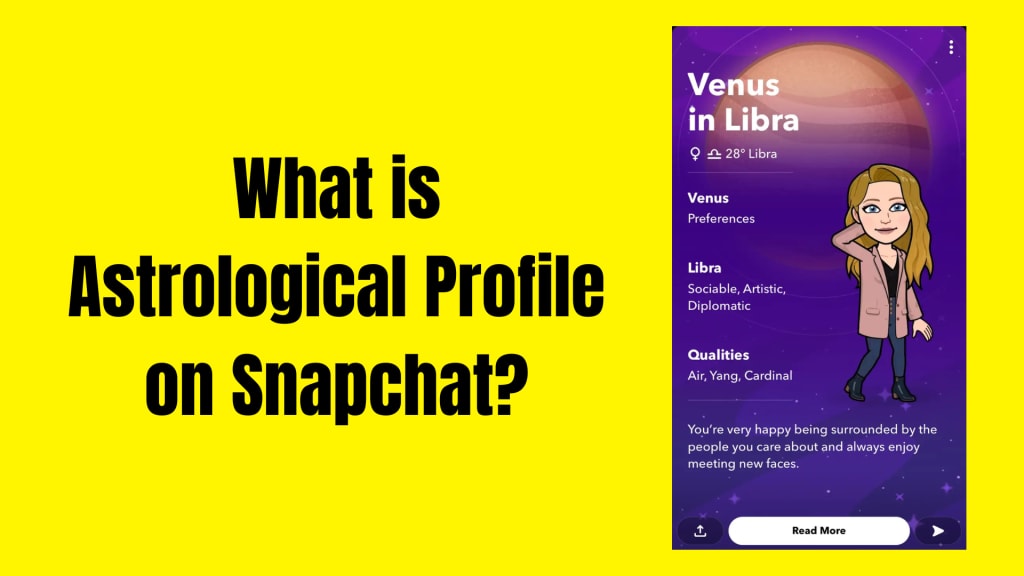
Snapchat is well-known for its fun filters, Bitmoji characters, and disappearing messages—but did you know it also offers a detailed Astrological Profile feature? If you’ve ever wondered what zodiac sign your best friend is, or you’ve found yourself curious about your own moon sign, Snapchat makes it surprisingly easy and fun to explore astrology right inside the app.
In this post, we’ll break down exactly what the Astrological Profile on Snapchat is, how it works, and how you can set yours up in just a few steps. Whether you’re a horoscope enthusiast or simply astrology-curious, this feature adds a cosmic twist to your digital identity.
What Is the Astrological Profile on Snapchat?

The Astrological Profile on Snapchat is a personalized star chart based on your date, time, and place of birth. It provides users with detailed zodiac insights—including your sun, moon, and rising signs—along with brief descriptions of your personality traits based on planetary positions.
Snapchat doesn't stop there. It even includes a compatibility feature, so you can compare your astrological charts with your friends'. For astrology lovers, this feels like an exciting upgrade to the typical snap-streak friendships.
When you view a friend's profile (or your own), and their astrology chart is available, a purple star icon appears next to their Bitmoji. Tap on it to unlock the celestial breakdown.
Why People Love the Snapchat Astrology Feature
I remember the first time I added my birth info to Snapchat out of curiosity, expecting a generic horoscope—but what I got was something closer to a real astrology reading. It told me about my Virgo sun, Capricorn moon, and Libra rising. The short descriptions were shockingly accurate.
This feature is not only fun but also offers a shared space to explore personality traits with friends. You can compare your sun signs or check how emotionally compatible you are. Whether it’s for fun or self-reflection, the Astrological Profile adds a unique layer to your Snapchat experience.
What You Need to Set It Up
To create your Snapchat Astrological Profile, make sure:
- You have the latest version of the Snapchat app
- Your birthday, time of birth, and location of birth are known
- You're comfortable sharing this information (Snapchat keeps it private unless you choose to share it)
How to Add an Astrology Profile to Your Snapchat Account
Here’s a simple, step-by-step guide to set up your Astrological Profile:
1. Open Snapchat and Tap on Your Bitmoji
From the camera screen, tap the profile icon (Bitmoji) in the top-left corner to go to your personal profile.
2. Tap the Purple Zodiac Icon
If you haven’t set up your Astrological Profile yet, you’ll see a purple star with your zodiac sign under your Bitmoji. Tap it to start the setup.
3. Enter Your Birth Information
Snapchat will ask for the following:
- Date of birth
- Time of birth (you can skip if unknown, but accuracy improves if you add it)
- Place of birth
Don’t worry—Snapchat says this data is private and won’t be shared with others unless you choose to.
4. View Your Astrological Profile
Once entered, you’ll instantly receive your personal star chart, including insights for the:
- Sun Sign (core personality)
- Moon Sign (emotions)
- Rising Sign (first impression)
- And other planetary placements

How to View a Friend’s Astrological Profile
To view a friend’s astrological info:
- Go to your chat with the friend
- Tap on their Bitmoji icon at the top
- If they’ve enabled it, you’ll see the purple astrology symbol
- Tap it to view their chart or check your astrological compatibility
Snapchat even gives a quick breakdown of how your sun, moon, and rising signs align. It’s a creative way to deepen friendships and spark fun conversations.
What If You Want to Edit or Remove Your Profile?
If you ever want to update your birth info or remove your astrology chart:
- Tap your Bitmoji
- Tap the purple astrology icon
- Tap the gear/settings icon
- Choose to Edit or Delete your profile
It’s that easy, and you can revisit the setup anytime.
Is the Astrology Info Accurate?
Snapchat partners with AstroStyle, a popular astrology brand run by The AstroTwins, to provide interpretations for the planetary positions. While it won’t replace a professional astrologer’s deep chart reading, the app provides a surprisingly thoughtful and engaging overview that’s ideal for casual astrology fans.
Benefits of the Astrological Profile
Here’s why users love it:
✅ Self-Discovery: You get a glimpse into different parts of your personality based on planetary placements
✅ Friend Compatibility: Find out why you click (or clash) with certain friends
✅ Easy and Private: Everything stays on your account unless you share it
✅ Fun Visuals: Bitmoji animations make it fun and lighthearted
✅ Conversation Starter: It sparks discussions beyond just snaps and chats
Personal Reflection: Why I Keep Mine Active
I’ve always been curious about astrology but never went deep into the topic until I tried the Snapchat feature. What surprised me was how much resonated with me, even though I had minimal expectations. My moon sign description explained why I process emotions a certain way. That made me think—not just about astrology—but about how we all have different emotional languages.
It’s also a blast to compare with friends. One of my best friends is a fiery Aries, and our charts show exactly where we differ and where we support each other.
Final Thoughts
The Astrological Profile on Snapchat is more than just a gimmick—it’s a thoughtful, well-designed feature that brings a cosmic edge to your social experience. Whether you’re a believer in the stars or just enjoy personality quizzes, Snapchat makes it incredibly easy to dive into the world of astrology with just a few taps.
And in a world where digital connections are everywhere, it’s refreshing to see features that add personal depth and meaning to our virtual friendships.
About the Creator
Jerry
Dedicated website for Spotify. Here we share tips and tricks to master your Spotify experience.
Not Just For Clean Up: A History Of The MCU's Department of Damage Control
Initially an organisation that seemed to exist to help the heroes of the Marvel Cinematic Universe, from Phase Four onwards, the Department of Damage Control has shifted into a more antagonistic role. Most recently seen in the Wonder Man series, the current incarnation of Damage Control seems to target superpowered individuals, regardless of whether that person poses an active or intentional threat.
By Kristy Anderson5 days ago in Geeks
Our Song
Evening has given way to night. Gently, I settle next to you on the comfortable, old love seat and reach for your hand. You snatch it away, again. It cuts me to the quick, but I hide the pain, understanding that the reaction is but part of your demented state. Since the accident, your presence here in our cozy home has been clouded by a haze I can't see. Nevertheless, I feel the frigidity of your expressions and it serves as an excruciating reminder of the immeasurable distance between us.
By Dana Crandell2 days ago in Fiction




Comments
There are no comments for this story
Be the first to respond and start the conversation.