
Google Analytics 4 Meets Looker Studio: The Ultimate Analytics Power Duo
Streamlining Analytics: How Google Analytics 4 and Looker Studio Work Together?

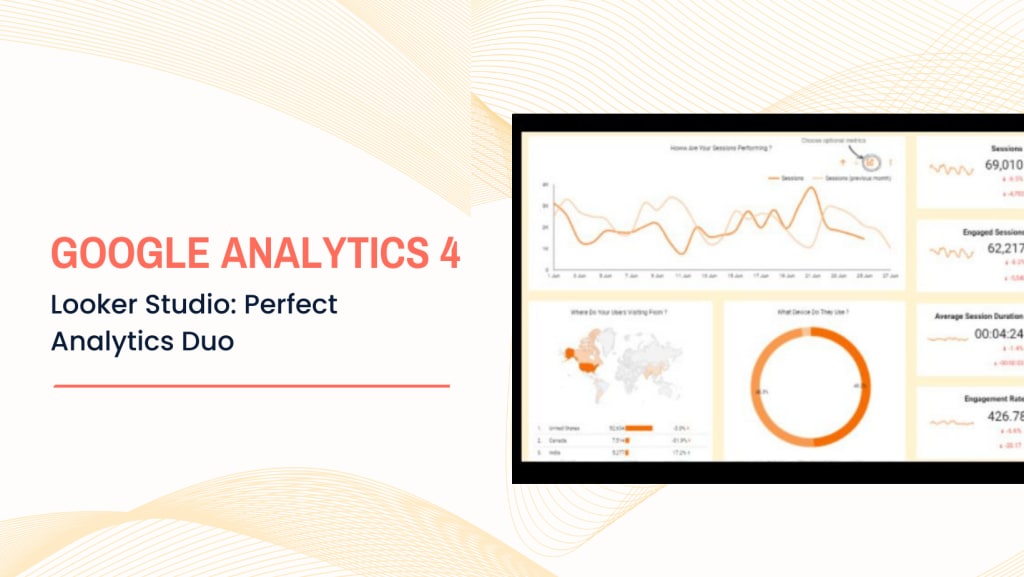
Data alone is not enough to navigate the digital environment because understanding it is also necessary. That is where data analytics tools come into play. Google Analytics 4 is one such example that offers extensive user tracking, but the true magic happens when you connect it to Looker Studio. This dynamic duo transforms raw data into engaging visuals, allowing firms to refine their marketing tactics and achieve significant results.
This article examines how this powerful combination enhances strategic digital marketing and boosts overall business performance in a competitive environment.
Overview of Google Analytics 4
Google Analytics 4 (GA4) is the latest version of Google's analytics, which provides insights into user behavior on websites and apps. GA4 focuses on events that record particular activities, such as button clicks, video plays, and sales. Unlike the previous edition, which just collected pageviews. Businesses can now have a far more transparent view of the complete client experience across several devices, from the initial visit to the final transaction.
As of now, GA4 is used by 14.2 million websites, a testament to its growing importance in the digital world. Its advanced machine learning features predict user behavior, enabling more precise targeting for businesses focused on strategic digital marketing. This shows which users are likely to purchase or leave, helping companies refine their campaign optimization strategies.
Moreover, Google Analytics 4 is excellent for enhancing digital branding solutions. It enables businesses to monitor how consumers are engaging with their brand across various channels. This facilitates strategy adjustments and the creation of more individualized content that appeals to consumers. Ultimately, gaining this understanding is essential to creating more solid, enduring bonds with your audience.
Overview of Looker Studio
Looker Studio is an effective tool for generating interactive reports and data visualizations. Businesses utilize it to extract data from various platforms, such as Google Ads, Google Analytics 4, and others. The primary advantage of Looker Studio is its potential to transform unprocessed data into aesthetically pleasing, user-friendly dashboards.

Looker Studio is vital for organizations that provide digital marketing consulting services. It facilitates the presentation of complicated data in a straightforward manner, allowing clients to understand campaign results better and make informed decisions. With customizable reports, businesses can focus on the metrics that matter most, such as conversions, traffic, and engagement.
Looker Studio enables marketers to track and evaluate performance across channels, optimizing plans and enhancing overall outcomes. This makes it an essential tool for any company to improve its data reporting and client communication.
Why connect GA4 to Looker Studio?
Looker Studio's integration with Google Analytics 4 enables companies to access more insightful data visualizations. Looker Studio converts the comprehensive user activity data that GA4 gathers into easily readable, editable reports. This combination allows businesses to get an in-depth analysis of their performance across several channels.
Moreover, businesses can boost their marketing efforts by making informed choices based on clear facts. This connection is quite beneficial for companies that concentrate on strategic digital marketing. As it helps marketers manage and optimize campaigns through key metrics like conversions, traffic sources, and consumer behavior.
It is very advantageous for the best SEO marketing company to link GA4 to Looker Studio. It helps them track SEO performance and pinpoint areas that need improvement. The real-time information provided by the dynamic dashboards enables SEO teams to make fast and efficient strategy adjustments. Looker Studio and GA4 work together to simplify and expedite data-driven decision-making.
How to connect GA4 to Looker Studio?
Depending on your needs, there are many ways to integrate Looker Studio with Google Analytics 4 (GA4). Here are the prominent methods:
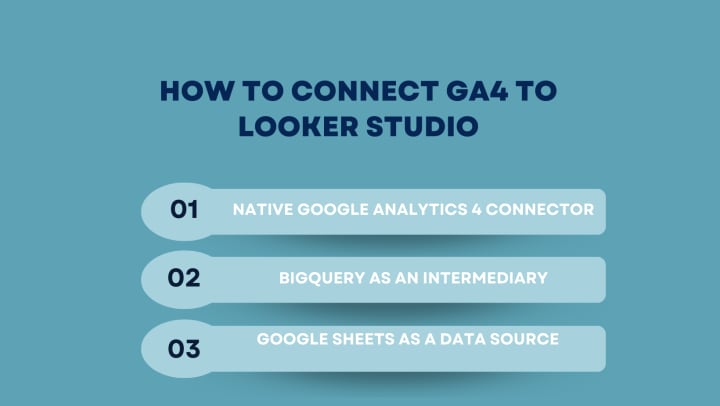
- Native Google Analytics 4 Connector
The most common connector is the free Analytics connector provided by Google. This is the most straightforward method, allowing real-time reporting using your GA4 data. The steps to connect are as follows:
Step 1: Open Looker Studio and click on "Create"> "Data Source."
Step 2: Select Google Analytics from the list of connectors.
Step 3: Log in with the Google account that has access to your GA4 property.
Step 4: Choose the GA4 property you want to connect to.
Step 5: Click "Add" to add it as a data source, and then use this data source for your reports.
2. BigQuery as an Intermediary
Using BigQuery offers more flexibility for complex queries and handling large datasets, especially if you need to perform custom transformations. This is particularly beneficial for businesses leveraging digital marketing consulting services. It allows them to analyze extensive user data and gain deeper insights into their digital branding solutions.
Step 1: Set up a BigQuery export from Google Analytics 4. This exports GA4 data to BigQuery in near real-time.
Step 2: Go to Looker Studio and click "Create"> "Data Source."
Step 3: Select BigQuery as the connector.
Step 4: Choose the GA4 data set from BigQuery.
Step 5: Add the data source and use it to create your Looker Studio report.
3. Google Sheets as a Data Source
This method is helpful if you want a simplified version of your GA4 data in Looker Studio or prefer handling smaller datasets with custom metrics. It is especially beneficial for the best SEO marketing company, which may want to track specific metrics without overwhelming amounts of data. Here are the steps to follow:
Step 1: Export GA4 reports manually or using automation tools like Google Analytics add-ons for Google Sheets.
Step 2: In Looker Studio, click on "Create"> "Data Source."
Step 3: Select Google Sheets as the data connector.
Step 4: Choose the specific Google Sheet containing your GA4 data.
Step 5: Use this sheet to create visual reports in Looker Studio.
These are the primary methods to connect Google Analytics 4 to Looker Studio. The native GA4 connector is ideal for most reporting needs, while BigQuery is best for advanced data analysis and handling large datasets.
While these connectors work for many, they have limitations, like quota restrictions. For instance, BigQuery offers more power but adds complexities. That includes managing costs, as queries can consume more resources and require technical expertise for efficient use and monitoring.
To overcome the constraints, consider using paid third-party connectors to link Google Analytics 4 with Looker Studio. They often come with extra functionalities, such as caching your GA4 data to build reports without hitting quota limits.
Conclusion
In a nutshell, integrating Google Analytics 4 with Looker Studio provides organizations with significant data along with outstanding visualizations. This combination enables more informed decision-making, improves digital branding solutions, and promotes growth. Companies using these technologies stay ahead of the competition and strengthen ties with their audiences, ensuring long-term success.
Contact us now to harness the full potential of GA4 and Looker Studio for your business!
About the Creator
Gurneet Kaur
I'm Gurneet Kaur, I am working in the Marketing and advertising firm Woosper. I leverage SEO, social media marketing, and content creation to craft strategic campaigns that get noticed and generate engagement.
Keep reading
More stories from Gurneet Kaur and writers in Journal and other communities.
Top Seven Link Building Marketing Strategies for Busy Marketers
Link building is a pivotal step in the SEO marketing process. If you don't have quality links from other sites, you won't see any results from your efforts. However, link building strategy doesn't have to be difficult or time consuming. With the tips for advanced link building tactics and strategies mentioned below, you can make the most of every outreach attempt!
By Gurneet Kaur3 years ago in Journal
~ Fired ~
— Ai Intrusion ~ Are you Next ~ Is Ai Evolution after your job? — Few workplaces haven't been affected. Ai is in supermarkets, at doctors' offices, and even monitoring farms. I just can't think of anything this machine is not getting into, can you? For instance: Education ~ Law and Tech jobs will one day have a major influence or be taken over by these inanimate machines, with accuracy and vigor. From mechanics' diagnoses to a wide variety of everyday jobs, including fast food workers, with this input having the ability to cut their unnecessary work hours. I'm certain all of us have been touched by this with our short stories and colorful headings, have you? Even comments are very questionable 'Non-Robot' insertions.
By Jay Kantor9 days ago in Journal


Comments
There are no comments for this story
Be the first to respond and start the conversation.