
Guide to Manuscript Formatting For An eBook
Get a better reading experience with proper eBook formatting services. Learn the correct steps for manuscript formatting for an engaging ebook.

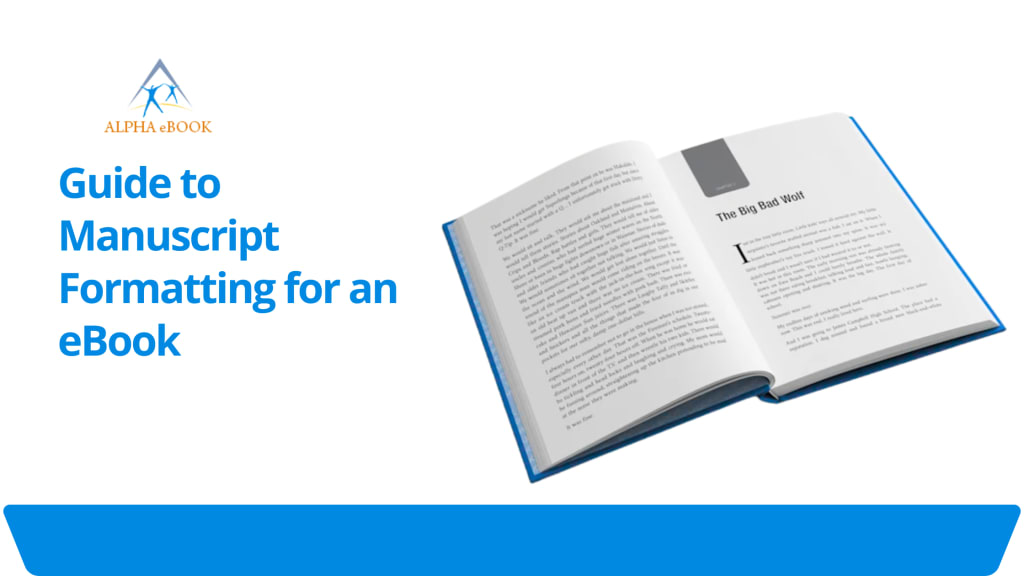
The instant availability of modern tools and techniques allows authors and writers to create an eBook ready for publishing and distribution. However, they are having difficulty delivering the e-book with proper formatting. For this purpose, working with a self-publishing service or a certified professional who uses advanced techniques for manuscript formatting before the final publication of the ebook improves the reading experience.
They prepare eBooks for readers, which involves more than just writing and creating a compelling story to engage the audience. Every step is crucial in shaping how your audience experiences your work, right from manuscript formatting to the final export.
The experienced, certified ebook formatting service provider guides authors and editors in converting their words into a smooth, engaging ebook that captivates readers. This detailed guide provides in-depth information about each component from the title page through the copyright page, so authors feel confident in preparing their files for your publication.
Real-Time Steps for Manuscript Formatting an eBook
Prepare Your Document For Final Formatting
Set up your document with clear formatting guidelines before formatting an eBook. Choose a standard font style that is easy to read and simple to adjust, allowing you to maintain uniformity by changing your font sizes.
For better results, use a single font family around the text and vary the sizes for the chapter titles, headers, and footers.
Ensure your line spacing fills the entire area without creating noticeable gaps on the page. A primary choice is one and a half line spacing for the body text. By planning your layout, you can avoid making wholesale changes later.
Creating A Unique Title Page
Your title page is the first impression for readers, so it should prominently display the book title. Place the title halfway down the page and include the name of the author below.
You may add a subtitle if, as an author, you need to engage readers.
Avoid cluttering the title page with images unless they are central to your branding. After the title page is set, lock the page layout to prevent accidental shifts in spacing.
Building A Table Of Contents In An Attractive Manner
A proper navigable table of contents guides readers through your work and allows ebook readers to link directly to chapters. After your title page, insert a table of contents with each chapter title and its starting number.
Most ebook conversion tools will generate links automatically, so ensure your chapter titles are formatted uniformly with heading styles. For the best results in ebook formatting, keep the look simple and easy to scan.
Formatting Chapter Titles and Headings
Consistent chapter heading styles help readers know when a new section starts. Use a larger font size for the chapter heading and centre-align it automatically.
Format the heading using a smaller size, and left-align it by adding space below and above the heading within a chapter. Professional guidance from an ebook formatting service provider helps develop this hierarchy, keeping your text managed and maintaining uniformity throughout the ebook layout.
Organizing Page Numbers and Page Breaks
Most e-book readers reflow text, including page numbers from your original file, which can help with PDF versions and print books. Place page numbers at the bottom of every page and use an engaging numeric style.
Insert page breaks after each chapter to start numbering after your title page and table of contents. You can easily avoid manual line breaks to force pagination. On the contrary, use the page break function to ensure the manuscript flows appropriately.
Placing Segment Breaks
Scene breaks show shifts in place and time within the chapter. Primary practice is to use a severe blank line or a small symbol at the centre of the line.
Irrespective of the style you choose while creating ebooks from manuscripts, maintain uniformity throughout the layout. Putting scene break markers with the same heading styles to maintain consistency in reading. eBook readers will allow these breaks without disrupting the text flow.
Adding Headers And Footers
Headers and footers can display the book title, author name, or the title of the primary chapter. For digital print books, they appear on every page; however, for an ebook conversion, you may disable them to allow for dynamic reflow and proper content placement.
If you keep page headers and footers in your manuscript file, place the book title on the left header and the engaging chapter heading on the proper header. However, in the footer, include page numbers or publication information at the bottom of the page.
Including Front and Back Content Section Matter
The front matter of your book includes a copyright page, dedication, and acknowledgments. Place the unique copyright page immediately after the table of contents. On that page, list the name of the publisher and 'All rights reserved'.
At the back of the content matter section, you can include a dedicated 'About the Author' page and promotional details for your next release. With proper ebook formatting practices, arrange each element automatically using page breaks.
Checking Format Guidelines For Your Platform
Different ebook retailers have specific needs for file format, fonts, image resolution, and metadata. Before exporting the content of your manuscript, consider whether you are targeting Mobi or Epub, as each format has its own checklist. Visit the retailer's support pages for detailed instructions on recommended image sizes, cover specifications, and file naming conventions.
Follow these manuscript formatting guidelines to reduce the chance of your file getting rejected.
Ensure Consistency In Style and Layout
Consistency increases your work from beginner to professional. Verify that spacing, fonts, and formatting choices are consistent throughout.
A variety of online digital tools, such as style sheets or templates, can help strengthen uniformity.
Before you finalize submitting your manuscript for publication, review each chapter for accidental ebook formatting errors, such as extra spaces or inconsistent font styles.
Final Review And Publishing Preparation
After you have completed formatting an ebook file, run a final review before publishing. Check every function of page breaks, segment breaks, headers, and footers.
Start previewing the file on multiple devices, including e-readers, tablets, or use an eBook reader emulator.
Verify that the table of contents links in the ebook correctly direct to each chapter. When you are confident in your layout, you can upload the file to publish your book.
The online ebook publishing platform will convert your manuscript to the native ebook format, and many will display the proof for you to confirm that everything looks right.
Post Publication Tips
After publishing your book, collect feedback and monitor reader reports for any formatting issues that may arise. Some readers may visualize minor issues on relevant devices.
Always be prepared in advance to update your manuscript and reupload updated versions. Maintain the overall integrity of your eBook by ensuring long-term reader satisfaction and engagement.
Deliver an Excellent Reading Experience to Readers Through eBook Formatting Services
By following these steps, you will learn to format an e-book that meets professional standards and captivates readers. Ranging from the first glance at your title page to the ease of navigation in your table of contents, careful attention to detail pays off.
Whether you dream of widespread digital distribution or plan both physical print and digital versions, adopting clear format guidelines and consistent design practices will help you format your book like an experienced publisher.
Many authors and writers also turn to ebook formatting companies for expert support in achieving a smooth final product by converting their manuscripts into interactive ebooks. Take the time to refine every element, and your eBook will stand out as unique in a crowded marketplace.
About the Creator
Darren Meeks
Alpha eBook we provide high-quality, high eBook conversion services to publishers and authors worldwide. We specialize in flowable and fixed layout (ePub and Mobi) compatible with all major devices. Visit our website for more information.
Keep reading
More stories from Darren Meeks and writers in Journal and other communities.
Bartender
On the heels of grief, pain bears down hard. On the heels of death, pain awakens the quiet place between the end of our own life and now. Feeling anything is like seeing a film and in black and white, slow motion, all sound turned off. Just watching. Gritting teeth, awkward smiles and bloody red eyes move around, scanning the others who are feeling something I don't want to feel, but I do. Escapism is all I have ever known. ~
By ROCK aka Andrea Polla (Simmons)2 days ago in Poets




Comments
There are no comments for this story
Be the first to respond and start the conversation.