
Offline-First Mobile Apps What Most Teams Get Wrong
The quiet commute when everything worked offline, and trust unraveled the moment the network returned.

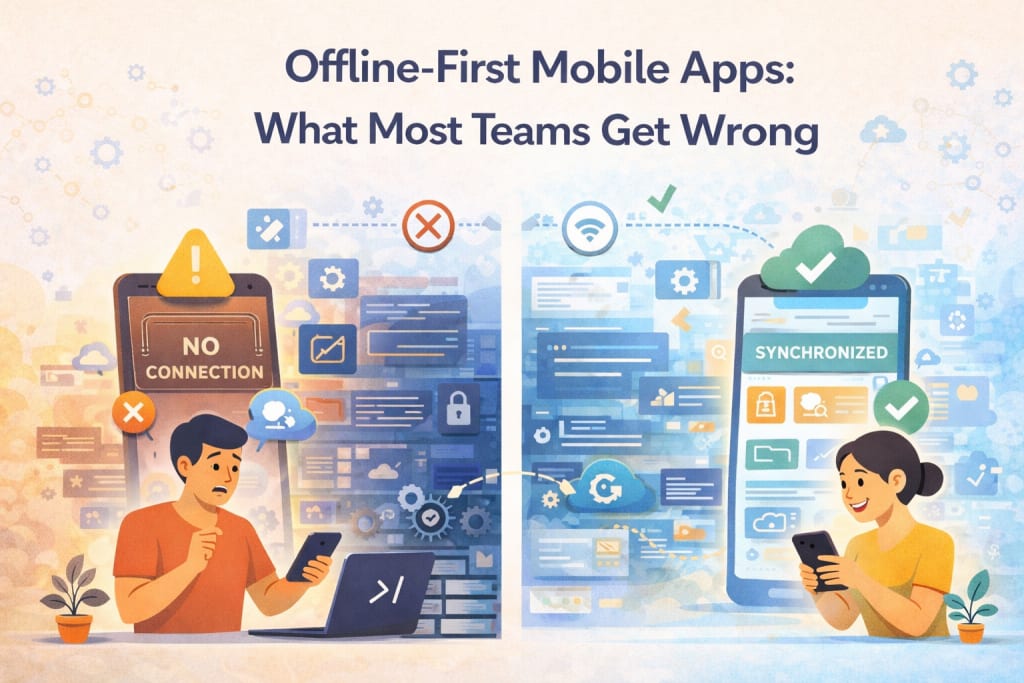
The moment I stopped trusting an offline-first promise didn’t involve a crash or an error.
It happened quietly, during a commute, when my phone slipped in and out of signal without asking permission.
The app responded smoothly the whole time. Buttons worked. Screens updated. I felt reassured, right up until the network came back and something small went missing.
I didn’t notice it right away. That was the problem.
Over years of working on mobile products, I’ve learned that the most damaging issues aren’t the ones that stop everything. They’re the ones that let you keep going while gently rewriting what you thought had happened.
When Offline Feels Like Success
Most teams celebrate the moment an app works without a connection.
Data is cached. Actions are stored. The interface stays responsive.
In early tests, this feels like a win. The app doesn’t freeze. The user isn’t blocked. Everything appears calm.
That calm creates confidence. It convinces teams they’ve solved the hard part.
What often goes unexamined is what happens next, when the app has to face the world again.
The Illusion of Local Truth
Offline-first apps create a temporary truth.
Actions taken offline feel final in the moment.
I’ve watched users complete tasks confidently while disconnected, assuming those actions now exist in the same reality as everything else.
From their point of view, they do.
The app often treats this local truth as provisional. When the network returns, it quietly negotiates which version of reality survives.
That negotiation is where trust is won or lost.
Reconnection Is the Real Test
Teams plan extensively for disconnection.
Far fewer plan for reconnection.
Reconnection isn’t a single event. It’s a sequence.
Data arrives out of order. Conflicts surface. Timing starts to matter in ways that aren’t obvious.
I’ve seen apps handle offline mode gracefully, then stumble when merging changes back into the system.
Not because the logic was broken, but because the human expectation was never fully considered.
When Conflicts Are Handled Silently
One of the most common mistakes is resolving conflicts without telling the user.
The app decides which version wins. A change is dropped. Another is overwritten.
Everything looks fine afterward.
From the user’s perspective, something they did simply didn’t stick.
There’s no explanation. No warning. Just a quiet absence.
That absence teaches users something dangerous.
It teaches them the app remembers selectively.
The Cost of Being Too Helpful
Offline-first apps often try to protect users from complexity.
They hide sync states. They smooth transitions. They avoid interruptions.
This helpfulness can backfire.
When something goes wrong, users have no mental model to understand it.
I’ve learned that clarity beats smoothness in these moments.
Knowing what the app is doing builds more confidence than pretending nothing is happening.
Why Timing Matters More Than Expected
Offline actions don’t arrive at the server in the order they were taken.
They arrive when they can.
That difference matters.
A change made later might be processed first. Dependencies can invert. Assumptions about sequence fall apart.
I’ve traced bugs that only appeared when users moved quickly while disconnected.
The app behaved correctly by its own rules, yet the outcome felt wrong.
Those issues are hard to reproduce and harder to explain away.
When Sync Feels Like a Betrayal
The strongest reaction I’ve seen from users isn’t frustration.
It’s confusion.
They remember doing something. The app does not.
No error appears. Nothing invites a retry.
That mismatch feels personal.
It creates doubt not just about the feature, but about the app as a whole.
Offline-first promises resilience.
Breaking that promise, even quietly, costs more than teams expect.
Designing for Trust, Not Just Availability
Availability keeps the app usable.
Trust keeps it relevant.
I’ve learned to ask a different question when working on offline-first flows.
Not can this action be taken offline, but how will the user know what happened to it later.
Visual cues. Gentle confirmations. Clear states.
These details matter more than raw capability.
Without them, offline-first becomes offline-uncertain.
The Problem With Treating Sync as Background Work
Many teams treat synchronization as something that happens quietly in the background.
To users, it isn’t background work.
It’s the moment when their actions become real.
Hiding that moment removes agency.
Exposing it thoughtfully builds confidence.
I’ve seen apps improve dramatically just by acknowledging sync as part of the experience instead of a technical detail.
Why Edge Cases Are Not Rare
Offline-first designs often assume edge cases are uncommon.
In practice, they’re routine.
Poor networks. Interrupted sessions. Devices sleeping mid-action. Users switching accounts.
These things happen every day.
When designs assume ideal conditions, reality fills the gaps unpredictably.
The strongest offline-first apps I’ve worked on were built with disruption as the default, not the exception.
Testing That Reflects Real Behavior
Offline-first issues rarely appear in controlled tests.
They surface during movement, multitasking, impatience.
I’ve learned to test while walking, commuting, switching apps, turning airplane mode on and off without ceremony.
Those moments reveal timing issues no simulator ever will.
They expose how fragile assumptions can be.
When Teams Focus on Data and Miss Meaning
It’s easy to focus on data integrity and miss experiential integrity.
The data might be correct.
The experience can still feel wrong.
I’ve seen teams defend outcomes because the system state made sense, even while users felt betrayed by it.
Offline-first success requires respecting memory as much as correctness.
Making Reconciliation Visible Without Making It Heavy
Visibility doesn’t require complexity.
It requires honesty.
A small indicator. A brief message. A chance to review changes.
These gestures reassure users that the app is aware of what they did.
They turn reconciliation from a hidden process into a shared moment.
That shared moment is where trust is rebuilt.
When Offline-First Becomes a Relationship
At its best, offline-first feels like the app is on the user’s side.
It adapts. It waits. It catches up without judgment.
At its worst, it feels like the app is keeping secrets.
The difference isn’t technical alone.
It’s philosophical.
Does the app treat user actions as commitments or as suggestions.
Learning the Hard Way
The lesson that changed my approach came from a user who couldn’t explain what went wrong.
Only that something felt off.
Their description didn’t match any logs.
The data looked fine.
Still, they were right.
Once I followed their exact path, I saw it.
The app had chosen speed over clarity.
It had moved on without them.
Why Most Teams Still Get It Wrong
Most teams stop at availability.
They prove the app works without a network and move on.
They don’t sit with the discomfort of reconnection.
They don’t watch users notice something missing.
Offline-first isn’t a feature you add.
It’s a promise you keep over time.
Sitting With the Responsibility
I still believe in offline-first design.
I just meet it with more humility now.
Every action taken offline is a moment of trust.
Every sync is a chance to honor or break it.
When teams design for that responsibility, offline-first becomes something quieter and stronger.
It becomes an agreement with the user that what they do matters, even when no one is watching.
And that agreement is what most teams forget to design for.
About the Creator
Ash Smith
Ash Smith writes about tech, emerging technologies, AI, and work life. He creates clear, trustworthy stories for clients in Seattle, Indianapolis, Portland, San Diego, Tampa, Austin, Los Angeles, and Charlotte.
~ Fired ~
— Ai Intrusion ~ Are you Next ~ Is Ai Evolution after your job? — Few workplaces haven't been affected. Ai is in supermarkets, at doctors' offices, and even monitoring farms. I just can't think of anything this machine is not getting into, can you? For instance: Education ~ Law and Tech jobs will one day have a major influence or be taken over by these inanimate machines, with accuracy and vigor. From mechanics' diagnoses to a wide variety of everyday jobs, including fast food workers, with this input having the ability to cut their unnecessary work hours. I'm certain all of us have been touched by this with our short stories and colorful headings, have you? Even comments are very questionable 'Non-Robot' insertions.
By Jay Kantor2 days ago in Journal



Comments
There are no comments for this story
Be the first to respond and start the conversation.