
I Tried Simplifying My Image Editing Workflow — Here's What Changed
A creator’s experiment with faster tools, fewer steps, and better results
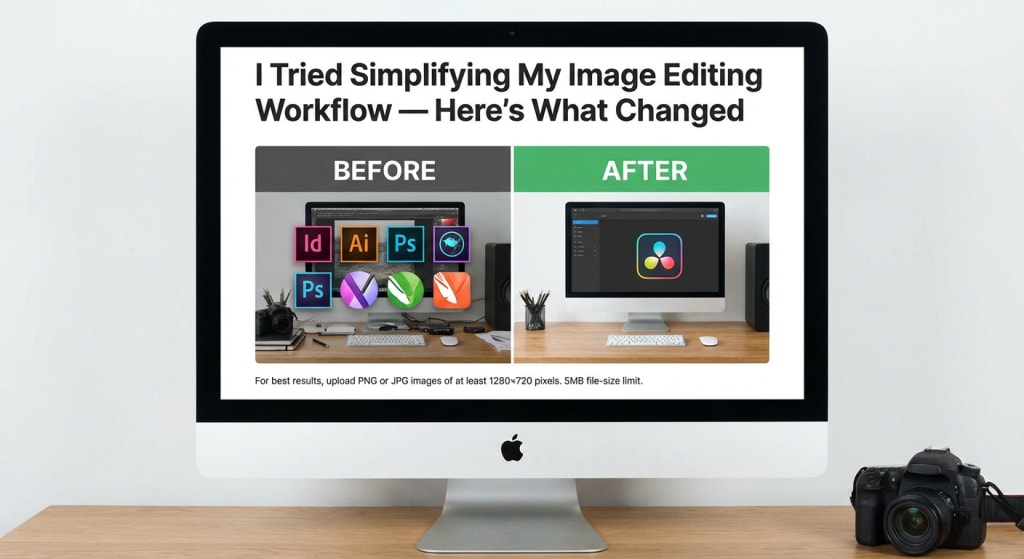
I used to spend too much time editing images. Re-doing the same adjustments over and over, and constantly second-guessing my edits, what should've taken 10 minutes would somehow take one hour for me.
I knew something had to change, but I kept putting it off because, well, if it works, why fix it?
My workflow was an absolute disaster
Before I get into what changed, let me walk you through my old workflow.
I'd start in one app to crop and straighten images. Then I'd export those and open them in another app for color correction because I liked its adjustments tools better.
Background removal? That was a third app. Adding text or graphics meant firing up yet another program. By the time I was done with a batch of 20 images, I had files scattered across four different folders, multiple versions of the same image with names like "final_FINAL_v3.jpg," and zero idea which one was actually the latest version.
Now I just use one tool that handles background removal along with my other edits, which has been a game-changer for keeping everything in one place.
The worst part wasn't even the time I wasted. It was the mental exhaustion. Every time I sat down to edit images, I felt this heavy resistance because I knew what was coming. Three constant switching between apps, the waiting for programs to open, and the "where did I save that file?" moments. It was draining.
Three Simple Changes That Made All the Difference
So here's what I did. I didn't overhaul everything overnight or invest in expensive new software. I made three specific changes that ended up making all the difference.
First, I picked one primary editing app and committed to it. I know this sounds obvious, but hear me out. I'd always used multiple apps because each one did "one thing really well." But the switching cost was killing me. I spent a week testing different options and settled on one that could handle 80% of what I needed. Was it perfect at everything? No. But it was good enough at most things, and that turned out to be way more valuable than perfect at one thing.
Second, I created templates for my most common edits. This was huge. I realized I was doing the same adjustments over and over. Product photos always needed the same brightness boost and saturation tweak. Social media graphics always used the same text styles and layouts. Instead of starting from scratch every time, I saved these as presets. Now I just load the template and make minor adjustments. What used to take 15 minutes per image now takes 3.
Third, I set up a simple folder system with a clear naming convention. Revolutionary, I know. But seriously, this alone probably saved me 30 minutes a week. I created a main "Images" folder with subfolders for "Raw," "In Progress," and "Final." Every file gets named with the date, project name, and version number. No more hunting through random folders or trying to remember if "IMG_final2.jpg" is newer than "IMG_final_revised.jpg."
Things got better in ways I did not see coming
The time savings were obvious and immediate. Tasks that used to take an hour now took 20 minutes. But there were other changes I didn't anticipate.
My decision-making got faster. When you're working with one tool instead of four, you stop overthinking which app to use for what. You just do it. This sounds small, but the mental clarity it created was massive. I wasn't constantly weighing options or second-guessing my choices. I'd open my editing app, load my template, make adjustments, and move on.
The quality of my work actually improved, which I didn't expect. I thought using specialized apps for each task would give me better results. But what actually happened was the opposite. Because I was spending less time on logistics and more time on the actual creative work, I could focus on what mattered. I'd notice composition issues I'd previously missed. I'd experiment with different color grades instead of just applying my usual adjustments and calling it done.
I also started enjoying the work again. This was the biggest surprise. Image editing had become this thing I dreaded, this necessary evil I had to power through. But once I simplified the process, it became fun again. I'd actually look forward to editing sessions instead of putting them off.
Some Things I Tried Were Complete Failures
Not everything I tried was good. I should mention that.
I initially tried to automate everything with batch processing. The idea was to set up actions that would automatically apply all my standard edits to entire folders of images at once. In theory, this should've been amazing. In practice, it was a disaster. Every image is different, and what works for one doesn't work for another. I ended up with a bunch of over-processed photos that all looked weirdly similar. I still use batch processing for basic stuff like resizing, but I learned that some things just need a human eye.
I also went through a phase where I tried to learn every single feature of my chosen editing app. I watched tutorials, read documentation, practiced advanced techniques. It was interesting, sure, but it didn't actually make my workflow better. Most of those advanced features weren't relevant to the work I was doing. I was spending time learning tools I'd never use instead of getting better at the ones I actually needed. Now I focus on mastering the 20% of features I use 80% of the time.
Little things that made a bigger impact than I expected
Beyond the big changes, there were a bunch of tiny adjustments that made a difference.
I started using keyboard shortcuts religiously. Just learning the shortcuts for my five most common actions probably saved me 10 minutes a day. It doesn't sound like much, but that's almost an hour a week, four hours a month. Over a year, that's two full workdays I got back just from pressing keys instead of clicking through menus.
I also began keeping a simple checklist for each type of project. Product photos get checked for white balance, sharpness, and background cleanliness. Social graphics get checked for text readability, brand color accuracy, and proper sizing. Having this checklist means I don't forget steps or have to redo work because I missed something obvious.
Another small thing: I stopped editing on my laptop screen. I got a cheap external monitor, nothing fancy, just something bigger with better color accuracy. The difference was night and day. I could see details I'd been missing, and my eyes didn't get tired as quickly. This meant I could work longer without fatigue, and I made fewer mistakes that needed fixing later.
The Ripple Effect on Everything Else I Do
The ripple effects went beyond just image editing.
Because I wasn't spending all my time on technical stuff, I had more energy for creative thinking. I started planning my shoots better, thinking about the final edit while I was still taking photos. This meant less fixing in post-production and better results overall.
I also became way more consistent. When you have a streamlined process, it's easier to maintain quality across projects. My clients started noticing. I'd get comments like "your work always looks so polished" or "I love how consistent your style is." That consistency came from having a workflow I could repeat reliably.
The time I saved also meant I could take on more work without burning out. I didn't have to, but having that option was nice. Sometimes I'd use the extra time for more projects. Other times I'd just finish earlier and actually have an evening. Both felt like wins.
If You Are Thinking About Doing This Too
If you're reading this and thinking about simplifying your own workflow, here's what I'd suggest.
Start by tracking your time for a week. Just note how long each task takes and where you're getting stuck. You might think you know where the problems are, but actually measuring it often reveals surprises. I thought my biggest time sink was color correction, but it turned out I was spending way more time just organizing files and switching between apps.
Then pick one thing to change. Not three things, not a complete overhaul. One thing. Make that change, live with it for a couple weeks, see how it feels. Then pick the next thing. I tried to change everything at once initially, and it was overwhelming. I ended up reverting to my old habits because the new system felt too complicated. Small, incremental changes stuck way better.
Also, don't chase perfection. Your workflow doesn't need to be optimal, it just needs to be better than what you're doing now. I wasted a lot of time researching the "best" way to do things when I should've just been trying things and seeing what worked for me.
Six Months Later, Here Is Where I Stand
Six months after making these changes, my image editing workflow is unrecognizable from where I started.
I'm faster, obviously. What used to take an hour takes 20 minutes. But more importantly, I'm more consistent, more creative, and way less stressed about the whole process. I don't dread opening my editing app anymore. I just do it, get the work done, and move on with my day.
The system isn't perfect. I'm still tweaking things here and there, finding small improvements. But it's so much better than the chaos I was dealing with before. And the best part? These changes didn't cost me anything except time to set them up. No expensive software, no new equipment (except that monitor, which was worth every penny). Just a willingness to step back and rethink how I was doing things.
If you're struggling with your own image editing workflow, I'd encourage you to try something different. You don't need a complete overhaul. Just pick one thing that's frustrating you and experiment with a better way. You might be surprised at what changes.
Looking back, I wish I'd done this sooner. But I'm glad I finally did it. My workflow isn't just simpler now, it's actually enjoyable. And that's made all the difference.
About the Creator
Keep reading
More stories from writers in Photography and other communities.
Snapshots of a Wandering Mind
Sana had always seen the world differently. While others walked past unnoticed streets, ordinary trees, or quiet cafes, she noticed the light falling on a cracked wall, the shadow of a bird in mid-flight, the faint smile of a stranger lost in thought. Her camera was her companion, a bridge between what she saw and what others often overlooked.
By Sudais Zakwan7 days ago in Photography
Why Raw, Real Photos Are Winning in the Age of AI Imagery
In 2026, candid and authentic photography isn’t just a style — it’s shaping the way we understand visual storytelling. After years of highly polished imagery dominating social feeds and photo galleries, the tide has shifted. Today’s photographers — from professionals shooting weddings and brands to street and documentary practitioners — are embracing imperfection, emotion, and real moments as core creative values. This evolution reflects broader cultural currents: people now crave honesty, connection, and human presence in images more than ever before
By Stories Todayabout 7 hours ago in Photography
Our Song
Evening has given way to night. Gently, I settle next to you on the comfortable, old love seat and reach for your hand. You snatch it away, again. It cuts me to the quick, but I hide the pain, understanding that the reaction is but part of your demented state. Since the accident, your presence here in our cozy home has been clouded by a haze I can't see. Nevertheless, I feel the frigidity of your expressions and it serves as an excruciating reminder of the immeasurable distance between us.
By Dana Crandell7 days ago in Fiction


Comments
There are no comments for this story
Be the first to respond and start the conversation.