
7 Key Metrics to Monitor VDI Health and Scalability
Discover 7 key metrics to monitor VDI health and scalability. Enhance performance, minimize downtime, and support secure, seamless virtual desktop expansion.

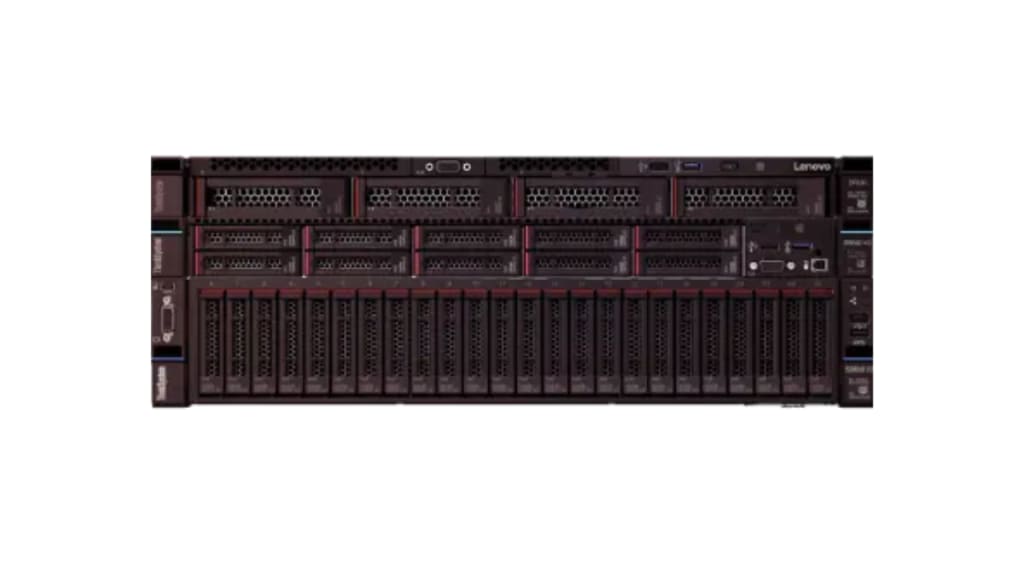
Modern businesses depend on digital workspaces that feel stable, responsive, and secure every single day. Teams now work across offices, homes, and shared locations while still expecting the same experience and reliability. Because of this shift, many organizations rely on virtual desktop infrastructure to deliver consistent access to applications, data, and tools.
However, success does not come from deployment alone. It comes from knowing how the environment behaves under real workloads and growing demand. A healthy VDI environment supports people quietly in the background while enabling productivity and confidence.
When organizations track the right signals, they build trust with users and reduce uncertainty for the future. Let us explore seven key metrics that help businesses maintain strong VDI health while preparing for smooth, scalable growth.
1. User Experience Performance
User experience acts as the first signal of VDI health. When users feel delays, frustration rises, and confidence drops quickly. Smooth performance helps people focus on work rather than technology.
What shapes user experience
Several key factors shape the user experience within a virtual desktop infrastructure, including login duration stability, screen refresh smoothness, application response time, and session reliability. By monitoring these areas on a regular basis, teams can identify patterns early and address potential issues before they affect users.
Over time, this approach fosters a proactive support culture that emphasizes prevention and continuous improvement rather than reactive problem-solving.
2. Session Density and Capacity
Session density shows how many users each host supports without performance loss. This metric helps teams balance cost efficiency with stability. As businesses grow, session density becomes a critical planning tool. Too many sessions reduce performance while too few waste valuable resources.
Why session density matters
Monitoring density helps teams understand system limits and growth readiness.
- Active sessions per host
- Peak usage patterns
- Resource contention frequency
By reviewing this data, teams adjust capacity planning with clarity. This approach protects user experience while supporting business expansion.
3. CPU Utilization Trends
CPU usage reflects how workloads behave across the VDI environment. Sudden spikes or sustained high usage often signal deeper issues. Stable CPU patterns support consistent performance while unpredictable usage creates risk during peak hours.
Key CPU indicators to watch
Tracking CPU behavior over time reveals usage patterns and planning needs.
- Average CPU load per host
- Peak usage during work hours
- Growth patterns over weeks
When teams understand CPU trends, they align infrastructure with real demand. This alignment keeps performance smooth and scalable.
4. Memory Consumption Stability
Memory directly affects session reliability and application responsiveness. Insufficient memory causes slowdowns, crashes, and user frustration. Consistent memory monitoring helps prevent performance degradation during busy periods.
Memory metrics that guide decisions
These indicators show how memory supports workloads over time.
- Average memory usage per session
- Peak memory demand patterns
- Swap activity frequency
By acting on memory data, early teams maintain stability and avoid disruptive performance drops.
5. Storage Input and Output Performance
Storage performance often defines how fast users access files and applications. Slow storage impacts every session simultaneously. Healthy storage keeps workloads responsive and predictable.
Storage performance signals
Monitoring these elements protects overall system health.
- Read response time
- Write response time
- Latency stability
When storage performs well users notice faster logins, smoother workflows, and fewer interruptions.
6. Network Latency and Stability
Network behavior shapes how virtual desktops feel across locations. Even strong infrastructure fails if connectivity fluctuates. Stable networks support collaboration, remote work, and confidence across teams.
Network health indicators
These metrics highlight connection quality and reliability.
- Average latency levels
- Packet loss frequency
- Connection consistency
Tracking network health allows teams to improve routing policies and optimize user locations without guesswork.
7. Resource Growth Forecasting
Scalability depends on understanding growth before it happens. Resource forecasting turns raw data into strategic insight. This metric connects usage with tomorrow's needs.
Forecasting metrics that guide growth
Teams rely on these signals to plan ahead.
- Monthly usage growth trends
- Seasonal demand patterns
- New user onboarding impact
Forecasting enables smooth expansion without disruption. It supports confidence during business change and long-term planning.
Conclusion
A strong virtual desktop infrastructure supports people quietly while enabling focus, confidence, and growth. Metrics turn complex systems into understandable stories that guide smarter decisions. When teams monitor the right signals, they protect user experience and prepare for the future with clarity.
Each metric in this article reflects more than numbers. They represent trust, reliability, and readiness. By tracking performance capacity and growth patterns, organizations create environments that feel dependable and human-centered. In the end, healthy VDI systems support real people doing real work. That connection between technology and trust makes all the difference.
About the Creator
Olivia Barn
I’m Olivia Barn, a content writer specializing in tech, and news. I aim to break down complex topics, crafting them into clear, engaging, and SEO-optimized content.
Keep reading
More stories from Olivia Barn and writers in Education and other communities.
9 Predictive Control Systems In the AI-Enhanced Computer
The future of computing lives inside predictive control systems. These smart systems act like a brain for your machine. They do not just react to your clicks. They guess what you need before you even know it. This shift marks a massive leap in how we use technology today. Traditional computers wait for a command. AI-enhanced computers look at patterns. They study your habits and learn your rhythm. This makes the machine feel like an extension of your own mind. We are moving away from static tools toward active partners. These systems manage power and speed, and data with incredible precision.
By Olivia Barn2 days ago in Education
Ramadan Mubarak – A Month of Mercy, Forgiveness, and Spiritual Transformation
Ramadan is not just a month in the Islamic calendar — it is a divine season of mercy, forgiveness, and spiritual elevation. It is the month in which Allah Almighty revealed the Noble Qur’an as guidance for humanity, a criterion between truth and falsehood, and a light for those who seek righteousness.
By M Irfan Zafarabout 11 hours ago in Education
Why the Foreign Exchange Market Is Powering the Global Financial System?
In a globalized economy, currency is important as it enables trade between different nations, allows international investment and enables e-commerce. The foreign exchange market enables the exchange of foreign currencies. The foreign exchange market is a global decentralized or over-the-counter market for trading currencies. Currencies are traded against each other in terms of their relative values, and the market continues to grow as businesses, governments, and individuals engage in international trade.
By Akshay Kumar2 days ago in Education




Comments
There are no comments for this story
Be the first to respond and start the conversation.