
Comparing Different Methods to Split vCard Files: Which Is Most Secure?
Simplifying Splitting vCard files process
A lot of people keep and share their personal information in vCard files (.vcf). Sometimes, you might have a large vCard file that you need to split into smaller parts. It could be because the file is too big to handle all at once, or it could be easy to share or control. But you should be careful about which way you split a vCard because you want to keep your contacts safe.
This blog post will provide information about the different ways to split vCard files and recommend the safest one.
What is a vCard?
Before we discuss the approaches, let's just first define a vCard. One kind of file that can store names, phone numbers, emails, addresses, and other contact details is a vCard. Email programs and cell phones can be used to save contact information. A big contact list might be shared from one vCard file. Sometimes, though, the file becomes too large or requires division to make handling simple.
Several Ways to Split a vCard File-
Manual Splitting (Copy and Paste)
How it works- Open a vCard file in a text editor, like Notepad or TextEdit, and then copy parts of the contact information into a new file manual.
Pros- It's free and easy. You decide how to split the data in any way you want.
Cons- This method is risky and takes a long time. You could miss or mess up some contact information if you make a mistake while copying and pasting. Also, there are no built-in safety features for manual splitting.
Security- Since you’re handling everything manually, it’s easy to make mistakes, and there's no automatic protection for your contact details.
Using Online Tools
How it works- You can upload your vCard file to some online sites, and they will begin breaking it up into smaller parts. You simply upload the file, pick how you want to split it (by size, amount of contacts, etc.), and then download the new file.
Pros- It's quick and simple. There's no need for you to know any tech. Breaking the vCard into numerous parts just requires a few clicks.
Cons- You can compromise the confidentiality of your data by entering your contacts on a website maintained by someone else. If the website become unreliable or insecure, your contact data can be subject to unauthorized access.
Security- Medium to Low. The security of online tools depends on the website’s privacy policy and how it handles your data. If the site doesn’t use encryption, your data could be at risk.
Using vCard Splitter Software
There are programs specifically designed to split vCard files. You can download and install the DataVare Address Book Converter Software on your computer. This application can simplify the problem of splitting vCard files while maintaining their security. It offers a simple-to-use graphical user interface that can be simply grabbed by any user with not much technical skill. This is completely a Windows-based application that can be installed on all Windows editions. Its advanced and sophisticated capabilities make the dividing process of the vCard files simple for the users. This is also available in a free trial edition from which users can check out its functionalities for free.
Steps to install this software-
- Install and set up the program on your PC.
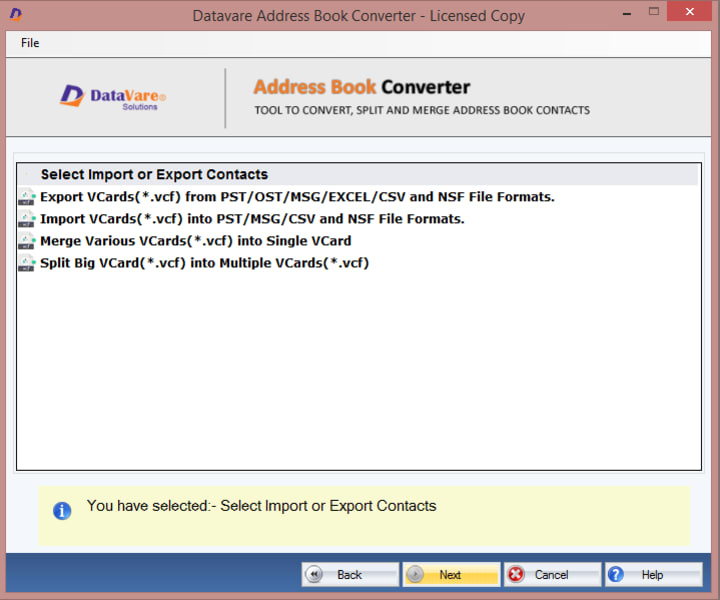
- Click Split vCard to add your contacts.
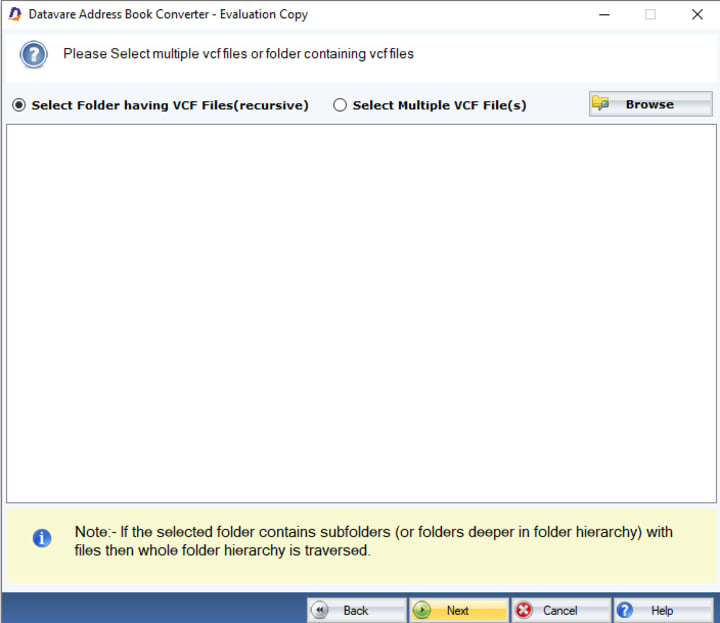
- Browse the VCF files to divide them.
- Choose a location to save the newly created file.
- Click the Convert Now button to start contact processing.
Security- High. These tools keep everything on your computer, so you don’t have to upload your contacts to the internet. However, make sure the software is from a reputable source to avoid security risks.
Which Method Is the Most Secure?
When comparing the methods, here’s the breakdown-
Manual Splitting—Not secure. It's easy to make mistakes, and there's no encryption or protection in place.
Online Tools—Medium security. While they can be convenient, uploading your contacts to a third-party site can expose your data to potential risks.
vCard Splitter Software—high security, provided you use reputable software. Everything stays on your computer, so your data is safer.
Last word
We have discussed several approaches to share the vCard files in this blog to choose the safest. Users can select the method according to their specifications.


Comments
There are no comments for this story
Be the first to respond and start the conversation.